Key Takeaway: Pool companies switch from Skimmer to EZ Pool Biller when they want lower monthly costs, included route optimization, built-in payroll tracking, QuickBooks sync, inventory management, and a customer portal without paying for add-ons.
If you're comparing a Skimmer alternative, the real question is not whether Skimmer works. It does. The question is whether your company still wants to pay for a higher base price and then add features piece by piece as your operation grows.
Skimmer helped set the standard for pool service software. It gave many companies a first real path away from paper, spreadsheets, and disconnected tools. That matters. But the market has changed. Pool companies now expect more than digital customer records and basic service tracking. They need complete pool service management software that handles billing, routing, chemical tracking, the mobile app, reports, payroll, QuickBooks integration, and a customer portal in one place.
EZ Pool Biller was built for that reality. It gives pool companies a simpler cost structure and a broader feature set at the base level. This comparison breaks down where the difference shows up in day-to-day operations, where Skimmer still has strengths, and why many companies decide the switch is worth it. For owners also thinking about expansion or acquisition, the SBA 7(a) program continues to support small-business acquisitions across service industries; the SBA 7(a) loans page was updated October 1, 2026. That matters for owners who want software that can scale with a purchase instead of adding overhead after the deal closes.
The Cost Difference
Price is usually the first place owners look, and for good reason. Software that looks affordable at signup can become expensive once the features you actually need are added on.
Base Pricing
| EZ Pool Biller | Skimmer | |
|---|---|---|
| Base monthly price | $35/mo | $98/mo |
| Per extra service location | $0.50 | $2.00 |
| Users / technicians | Unlimited | Varies by plan |
| Contract required | No | No |
The base price difference is already meaningful. EZ Pool Biller starts lower, and the per-location cost stays lower as your route book grows. That matters because pool businesses rarely stay static. A company with a manageable route today can double back into a much more expensive software bill six months later if pricing scales aggressively with locations.
The simplest way to think about it is this: the lower entry price matters, but the lower per-location fee matters more. Every new stop you add has to generate enough revenue to justify not only labor and chemical costs, but also software overhead. When software charges more for growth, it quietly taxes success.
Cost at Scale: Real Numbers
Here is how that difference looks at common company sizes:
50 service locations:
- EZ Pool Biller: $35 + (50 x $0.50) = $60/month ($720/year)
- Skimmer: $98 + (50 x $2.00) = $198/month ($2,376/year)
- Annual savings: $1,656
100 service locations:
- EZ Pool Biller: $35 + (100 x $0.50) = $85/month ($1,020/year)
- Skimmer: $98 + (100 x $2.00) = $298/month ($3,576/year)
- Annual savings: $2,556
200 service locations:
- EZ Pool Biller: $35 + (200 x $0.50) = $135/month ($1,620/year)
- Skimmer: $98 + (200 x $2.00) = $498/month ($5,976/year)
- Annual savings: $4,356
A 100-location company saves $2,556 per year before even accounting for add-ons. That is enough to cover meaningful operating expenses, and it is also enough to expose how quickly a “base price” stops being the real price once you start relying on the software every day.
Here is a concrete example. A pool company with two technicians and a 100-stop route decides it needs route optimization, QuickBooks sync, and better reporting. On one platform, those needs are folded into the core product. On another, each feature can become another line item or a higher plan tier. The owner may only notice the difference when the monthly bill lands, but the impact has already shown up in cash flow all year long.
That same cost pressure matters if you are buying a route or acquiring a smaller company. The SBA 7(a) loans page updated October 1, 2026, and it remains one of the clearest financing paths for small-business acquisitions in service industries. If you are planning growth, software should support the purchase instead of becoming a new fixed cost problem.
And that is just the pricing side. The bigger question is whether the included features match how your company actually runs.
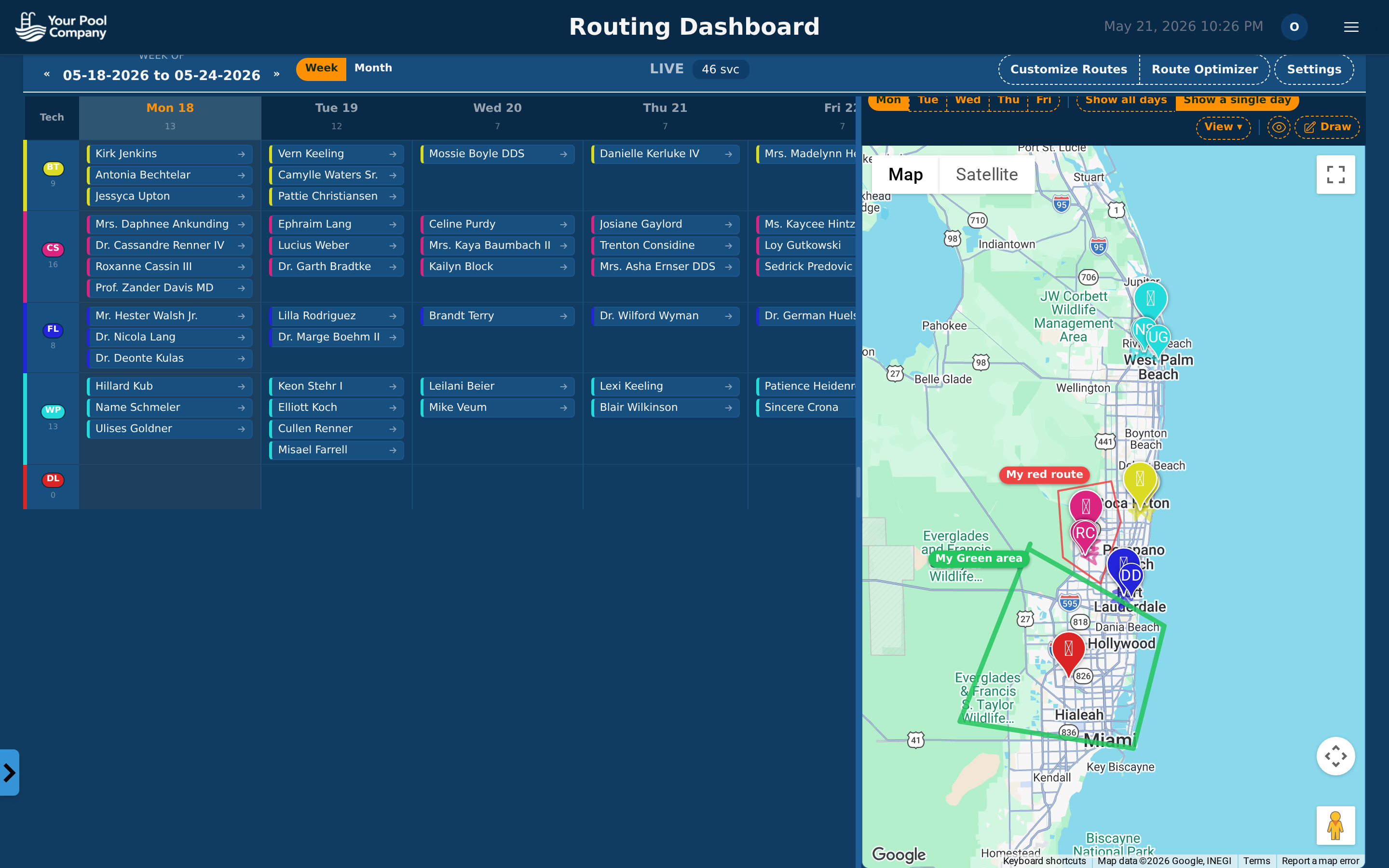 The schedule view makes it easy to manage routes across multiple technicians — included at every pricing level.
Feature Differences That Matter
Once you move past pricing, the comparison becomes operational. The best software is not the one with the longest feature list on a landing page. It is the one that reduces the number of separate tools you need to run payroll, organize routes, document service, and keep customers informed.
Payroll Tracking
EZ Pool Biller includes built-in payroll management. You can track technician hours, calculate pay using hourly, per-stop, or hybrid methods, generate payroll reports, and export the results to your payroll provider. That keeps labor data connected to the same system where the work is already happening.
Skimmer does not include payroll features. If you use Skimmer, you need a separate payroll tool or a manual process to calculate technician pay. That means hours get tracked in one place and payroll gets completed in another. For a one-person operation, that may be tolerable. For a company with multiple technicians, it becomes a regular administrative burden.
Payroll is one of those functions that looks simple until it sits at the center of a busy route schedule. If a tech works a mix of hourly tasks and per-stop service, the owner has to reconcile travel time, completed visits, exceptions, and pay rules. Built-in payroll removes the need to rebuild that logic every pay period. It also cuts down on the mistakes that happen when notes, route changes, and service completion data live in different systems.
Route Optimization
EZ Pool Biller includes route optimization in the base price. The system sequences stops to reduce drive time and distance, which helps technicians spend more of the day servicing accounts and less time crossing town.
Skimmer offers route optimization as a paid add-on. Without it, you are either ordering stops manually or paying extra for a feature that directly affects daily efficiency.
This is not a minor convenience feature. Route ordering affects fuel use, technician fatigue, and how many stops a tech can realistically complete in a day. If your routes are scattered, even a small improvement in stop sequencing can create a measurable time recovery. That recovered time is what lets a company absorb one more account in a dense area or finish the day without rushing the last few stops.
QuickBooks Integration
EZ Pool Biller includes QuickBooks sync. Statements, payments, and customer data flow into QuickBooks automatically.
Skimmer offers QuickBooks integration as a paid add-on, available only on higher-tier plans.
If you already use QuickBooks, integration is not optional. It is part of the workflow. Without it, someone has to move data between systems manually or deal with mismatches between billing and accounting records. That is exactly the kind of duplicated work software should remove.
When pool companies talk about software “saving time,” this is the kind of time they mean. Not dramatic transformations. Just fewer repetitive tasks at the end of the day, fewer mistakes in accounting, and fewer places where data can drift apart.
Mandatory Photo Prompts
EZ Pool Biller lets you require technicians to take photos at configurable points during each service stop. The tech cannot mark the visit complete until the required photos are submitted. That control is built into the mobile app.
Skimmer includes photo capture, but mandatory prompts that block visit completion are not standard in the same way. The enforcement model is different.
This matters because photo capture is only useful when it is consistently used. A technician can forget, skip, or delay a photo if the app allows it. A required prompt changes the workflow. It turns documentation from a “remember to do this” task into a built-in step of the visit. That protects service quality and gives owners better proof of work when questions come up later.
Chemical Tracking
Chemical reading logging is included in EZ Pool Biller, and technicians can enter readings through the mobile app so the data lives in the customer’s service history.
Skimmer also includes chemical tracking, and this is one area where both platforms are strong.
That similarity matters. Chemical data is the backbone of pool service records, and any serious platform has to handle it well. Both systems store per-visit readings and make them easy to review later. If chemical logging is your only criterion, you will not find a major separation here. The bigger difference comes from everything surrounding that data: routing, billing, payroll, inventory, and customer communication.
Customer Portal
EZ Pool Biller includes a customer portal where clients can view service history, see upcoming visits, pay statements, and update payment methods.
Skimmer includes customer-facing features and offers a portal for viewing service history and reports, though the scope of self-service billing tools differs.
A good portal reduces office calls. Customers stop asking for the same statement twice, stop waiting for a printed service summary, and stop calling to update a card that could have been changed online in a minute. That saves office time and makes the company look organized. For recurring service businesses, the customer experience is part of retention, not just convenience.
Inventory Management
EZ Pool Biller includes built-in inventory tracking for chemicals and parts. You can monitor stock levels, track usage per stop, and receive low-stock alerts.
Skimmer does not include built-in inventory management, so you need another system to track chemical and parts inventory.
This feature becomes more valuable as your operation grows. A small company can get by with memory and a few quick checks. A larger company cannot. If you do not track what leaves the truck or the shop, you end up guessing at chemical consumption, reordering too late, or carrying more inventory than you need. Usage data tied to routes gives owners a clearer picture of waste and cost. That same visibility also helps when you are planning growth or looking at a business purchase, because the SBA 7(a) loans page was updated October 1, 2026, and that financing path can support service companies that need tighter control over operating costs.
The Full Feature Comparison
The broad pattern is easy to see once the features are placed side by side. EZ Pool Biller includes more of the tools pool companies use every day, and it includes them in the base product instead of turning them into add-ons.
| Feature | EZ Pool Biller | Skimmer |
|---|---|---|
| Recurring billing & AutoPay | Included | Included |
| Chemical tracking | Included | Included |
| Mobile app (iOS & Android) | Included | Included |
| Route optimization | Included | Paid add-on |
| QuickBooks integration | Included | Paid add-on (higher tiers) |
| Payroll tracking | Included | Not available |
| Inventory management | Included | Not available |
| Mandatory photo prompts | Included | Limited |
| Customer portal | Included | Available |
| Notifications & reminders | Included | Included |
| Unlimited users | Yes | Varies by plan |
| Data export | Yes | Yes |
The comparison is not about whether Skimmer has useful tools. It does. The issue is how much of the working toolkit is bundled into the base platform and how much gets charged separately. Once you factor in the add-ons that many companies actually need, the total cost of ownership changes fast.
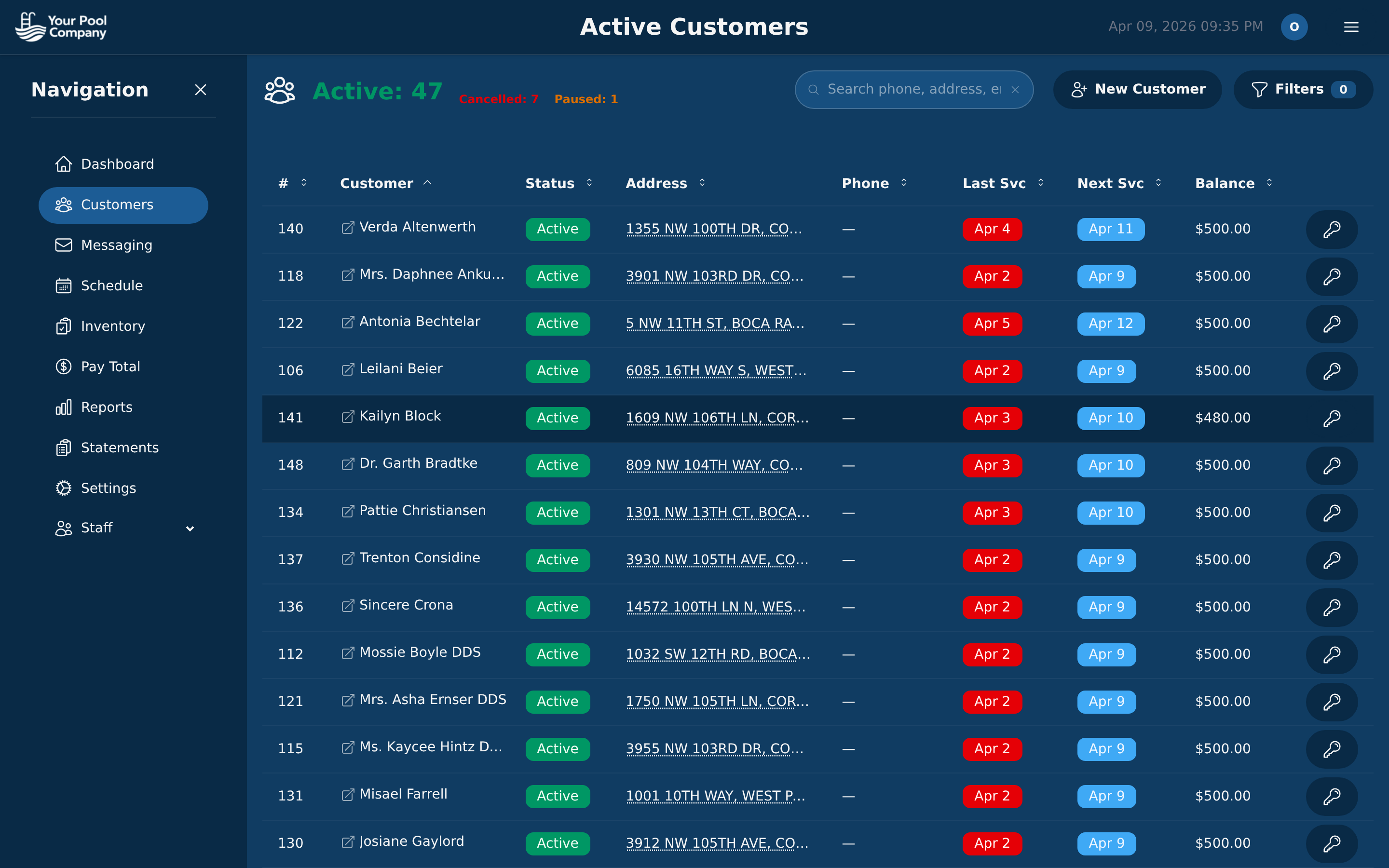 All customer data, billing, and service history in one view — no add-ons required.
What Skimmer Does Well
A fair comparison has to acknowledge where Skimmer still earns respect. It remains a recognized name in the industry, and that brand recognition matters. Many owners learned about pool service software through Skimmer first, which gave it a strong position early on.
Skimmer also has a mature chemical tracking workflow. Pool service companies that care deeply about dosing records and chemical history will find that the product handles this area well. That is not a small strength. Chemical documentation is central to service quality and accountability.
The company has also built a real community around the product. Peer discussions and shared advice are valuable, especially in a trade where owners often learn best from other operators.
Its automated service report emails are another familiar strength. Customers like seeing a summary after each visit, and a clean report builds confidence that the work was completed.
Those strengths are real. The decision comes down to whether they are enough to justify a higher base price and a set of missing or paid features that many companies now consider standard.
Migration: How Switching Actually Works
Switching software feels risky when your routes, billing history, and customer records are already tied to one platform. That hesitation is normal. Owners do not want to disrupt billing or lose service data just to save money.
The migration from Skimmer to EZ Pool Biller is designed to minimize that risk.
Step 1: Data Export from Skimmer
Export your customer list, service schedules, and billing information from Skimmer. In most cases, this is a CSV export that only takes a few minutes.
Step 2: Free Data Transfer
EZ Pool Biller provides free data migration assistance. You send the exported files to the migration team, and they import your customers, routes, and billing configurations. There is no charge, regardless of company size.
The imported data typically includes customer names, addresses, and contact information, along with service schedules, route assignments, billing rates, frequencies, payment method information where transferable, and service notes or property details.
Step 3: Verify and Adjust
Review the imported data in EZ Pool Biller and spot-check a sample of customers to confirm that rates, schedules, and notes transferred correctly. Then make any adjustments you need.
Step 4: Set Up Payment Processing
Connect your Stripe, PayPal, or ACH payment processor. If customer payment methods are already stored with a transferable processor such as Stripe, they can move with the data. If not, customers can re-enter payment details through the portal.
Step 5: Go Live
Switch technicians to the EZ Pool Biller mobile app. Most techs adapt quickly because the core workflow stays familiar: view the route, navigate to the stop, log the visit, and mark it complete.
The actual transition is straightforward. The part that feels hard is the decision to leave a familiar system. Once the data is mapped and the cutover date is set, the switch is usually much less dramatic than owners expect.
The cleanest time to switch is at the beginning of a billing cycle. That gives you a clean line between old statements and new statements, avoids split billing, and keeps customer communication simple.
What Pool Companies Say After Switching
When companies move from Skimmer to EZ Pool Biller, the feedback tends to cluster around the same themes.
Owners often say they did not realize how much they were paying in add-ons. That happens because extra features look optional at first, then slowly become essential. Route optimization, QuickBooks sync, and related tools can stop feeling like upgrades and start feeling like necessities.
Payroll tracking comes up often as well. Companies with more than one technician tend to value it because it removes a recurring administrative task and keeps pay calculations connected to actual service activity. When payroll lives in the same system as route work and customer records, the office has less to reconcile.
Migration is another common surprise. Fear of losing data keeps companies stuck longer than it should. Once the export and import process is complete, most owners find the switch easier than expected.
Run the Numbers for Your Company
If you want to estimate your own savings, use this simple formula:
Current Skimmer cost: $98/mo + (your locations x $2.00) + add-on fees = monthly total x 12
EZ Pool Biller cost: $35/mo + (your locations x $0.50) = monthly total x 12
Your annual savings: Skimmer annual total - EZ Pool Biller annual total = savings
For many companies with 50 to 200 locations, the savings are substantial even before you account for the time recovered from included features like payroll and route optimization.
For a more detailed side-by-side comparison, visit our EZ Pool Biller vs Skimmer page. To see the full feature set, check out the features overview.
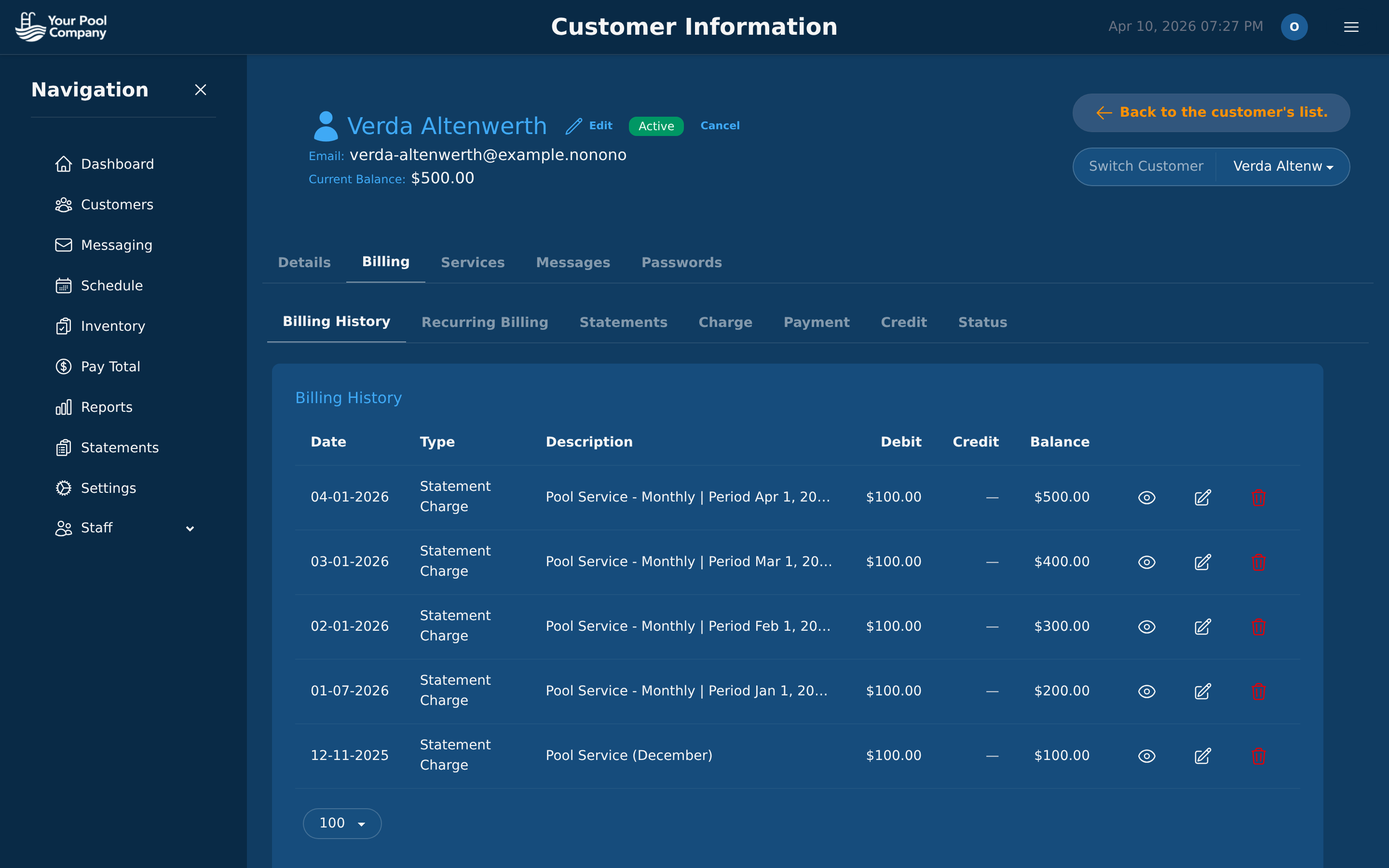 Transparent billing history with all transactions in one place — no add-ons, no hidden fees.
Try It Risk-Free
EZ Pool Biller has no contracts, no setup fees, and no cancellation penalties. You can start a free trial, import your data, and run both platforms side by side for a billing cycle if you want a direct comparison.
That makes the decision practical. If the software fits, you save money and simplify your workflow. If it does not, you move on without being locked into a long-term contract.
Start your free trial — migration assistance is included at no charge.
Frequently Asked Questions
What is the main reason pool owners switch from Skimmer to EZ Pool Biller? Pool owners usually switch because they want more functionality at the base level without paying extra for each added feature. EZ Pool Biller is positioned as a more complete pool service management system that includes billing, routing, chemical tracking, the mobile app, reports, payroll, QuickBooks integration, and a customer portal in one place. That makes it a better fit for companies that want software to scale with their operation instead of stacking add-ons over time.
How does the pricing compare between EZ Pool Biller and Skimmer? EZ Pool Biller starts at $35 per month, while Skimmer starts at $98 per month. EZ Pool Biller also charges $0.50 per extra service location compared with $2.00 for Skimmer, which matters as your route book grows. If you want lower base cost and lower expansion cost, EZ Pool Biller is the stronger value on price alone.
Does Skimmer still have any advantages for pool service companies? Yes. Skimmer is described as having helped set the standard for pool service software, and it gave many companies a first real move away from paper, spreadsheets, and disconnected tools. It still works well, so the issue is not whether it functions. The bigger question is whether your company wants to keep paying a higher base price as your needs expand.
Who is EZ Pool Biller best suited for? EZ Pool Biller is best suited for pool companies that want a broader software package from the start and expect to grow. It is a strong fit if you need billing, routing, chemical tracking, technician tools, reporting, payroll, QuickBooks integration, and a customer portal without piecing everything together separately. It also makes sense for owners thinking about expansion or acquisition because it is built to support scaling without adding unnecessary overhead.