See EZ Pool Biller in Action

Walk through the key features step by step. Click any screenshot to zoom in.

18 screens ~5 min read Real app data
Onboarding Customers Routing Billing Reports Messaging Inventory Team Mobile App Customer Portal
1

Onboarding & Setup

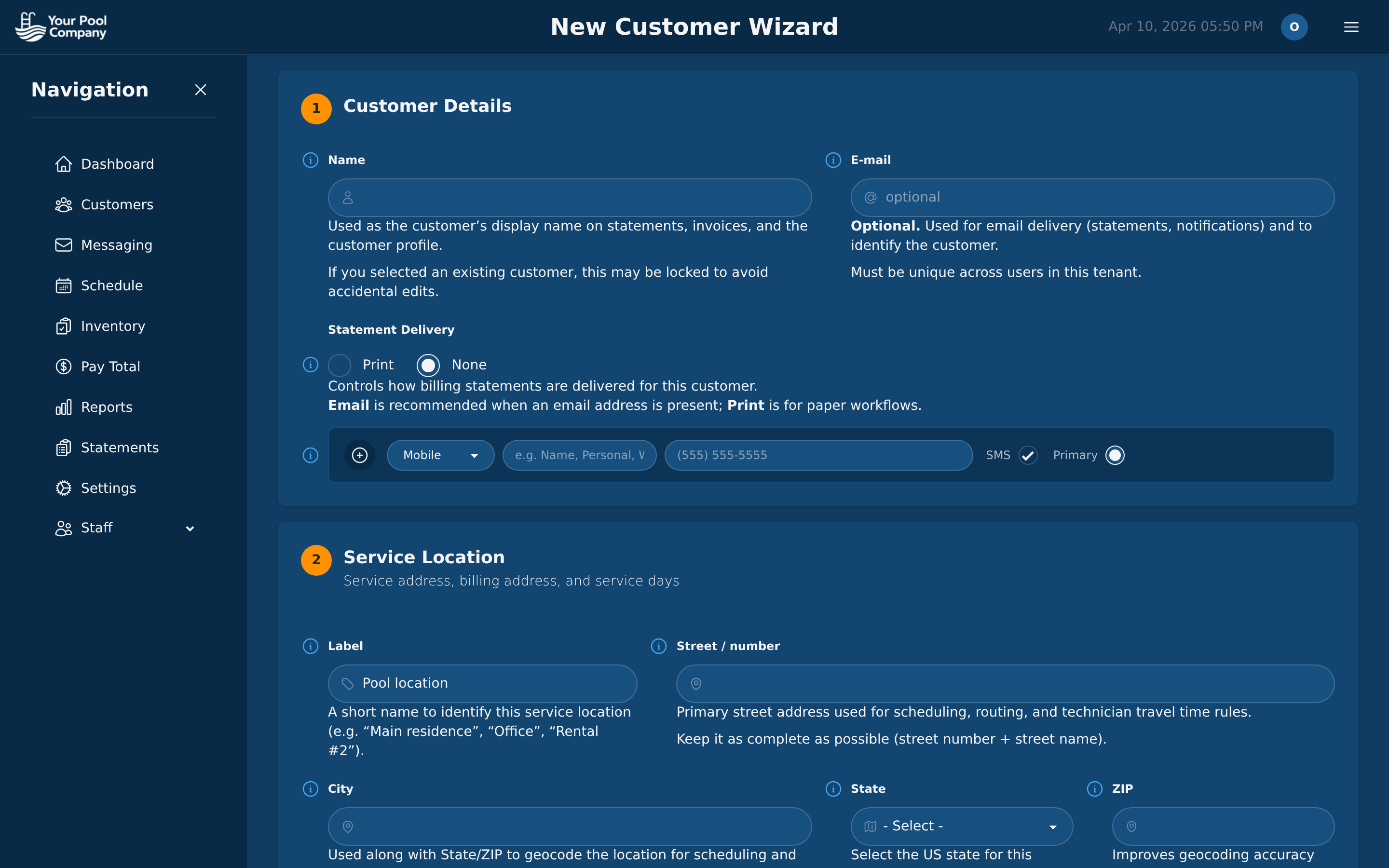
A 6-step Setup Wizard walks you through configuring your company: profile, payment gateways, customer portal, visit reports, email settings, and technician setup. Then add your first customer with the subscription wizard. Your whole business is up and running in under 30 minutes.
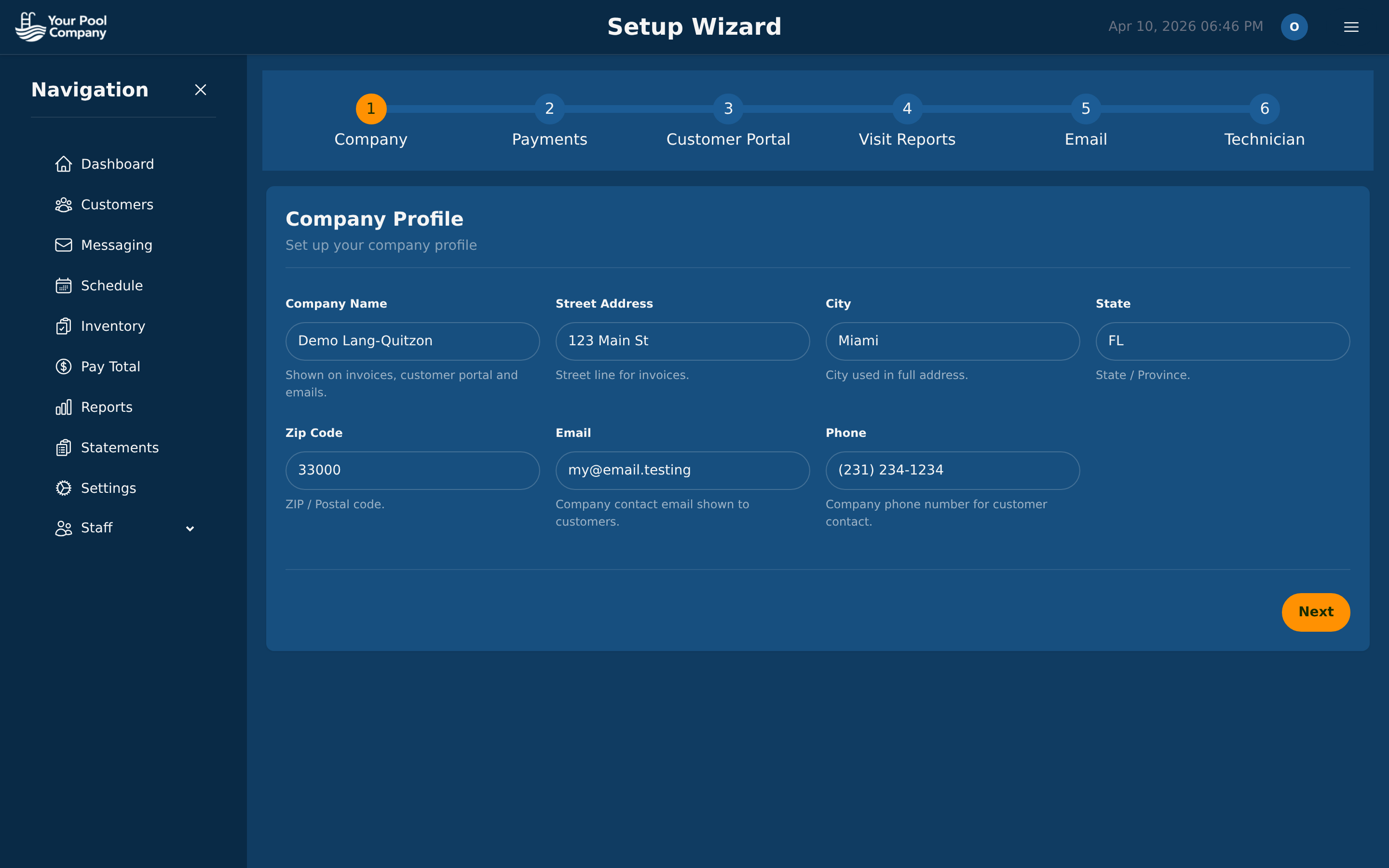
Setup Wizard step 1: Company Profile with name, address, email, phone

Setup Wizard — company profile (step 1 of 6)
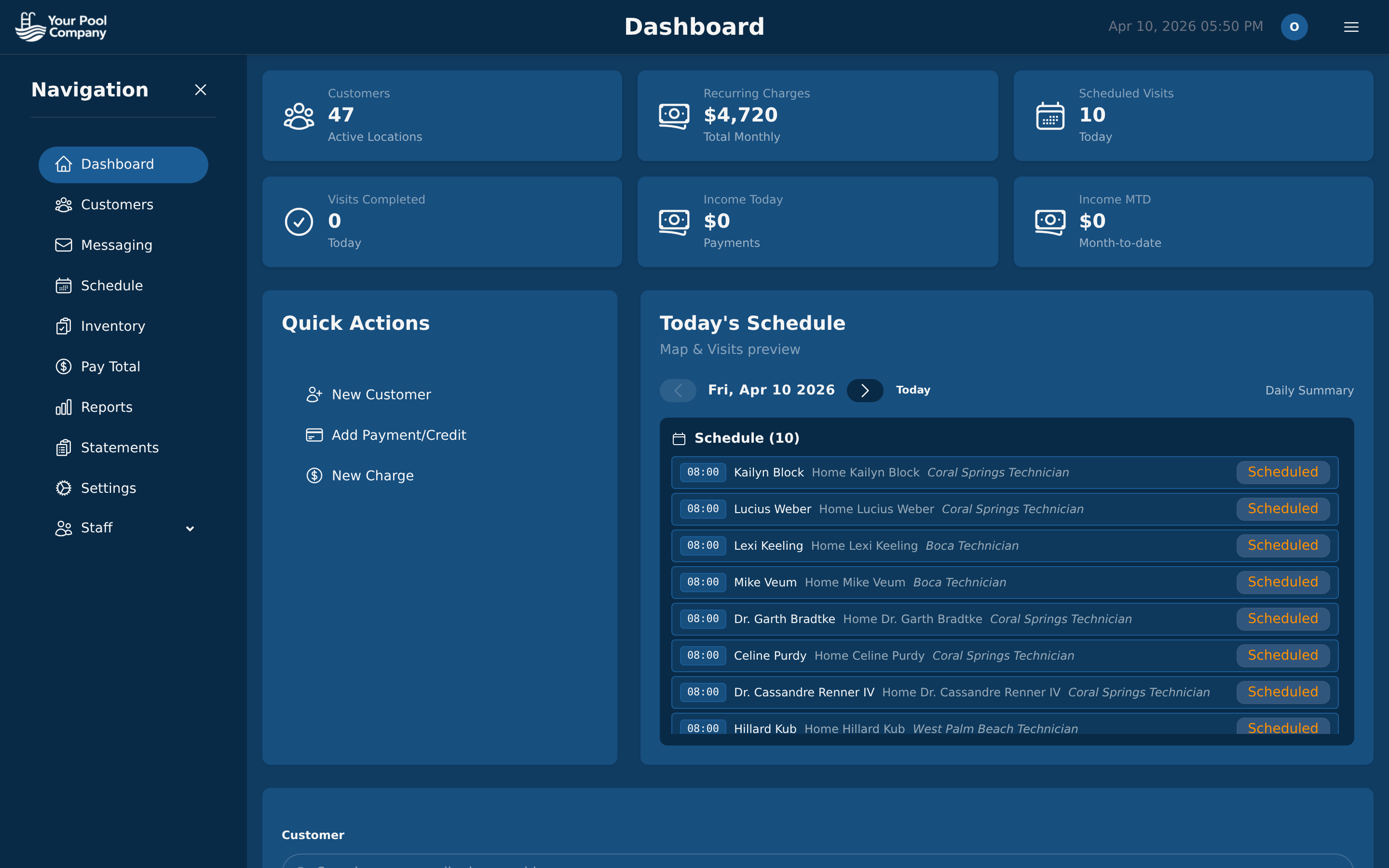
EZ Pool Biller dashboard with welcome message and quick stats

Dashboard — your home base

New customer subscription wizard with step-by-step setup

New Customer Wizard — add customers in seconds
2

Customer Management

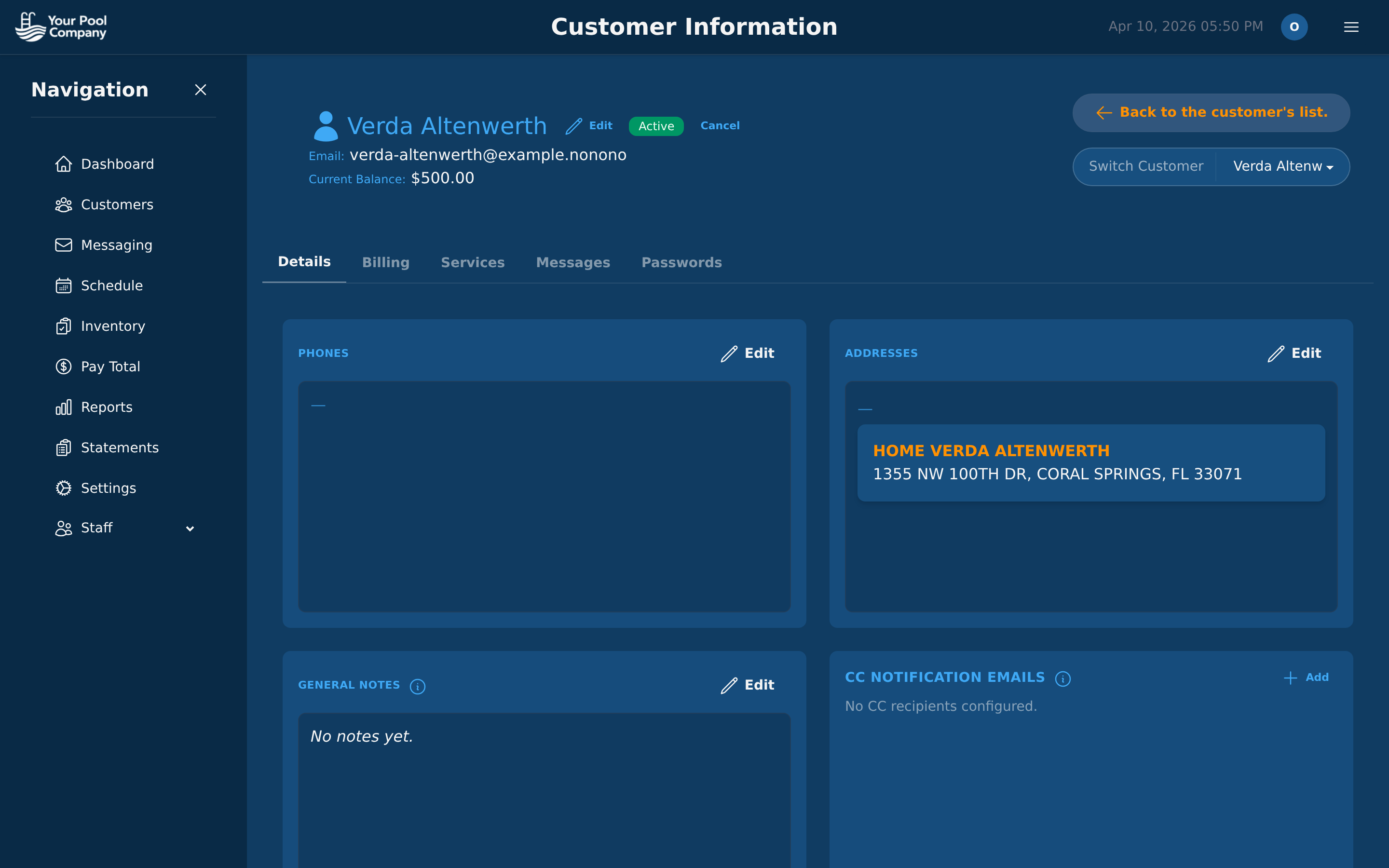
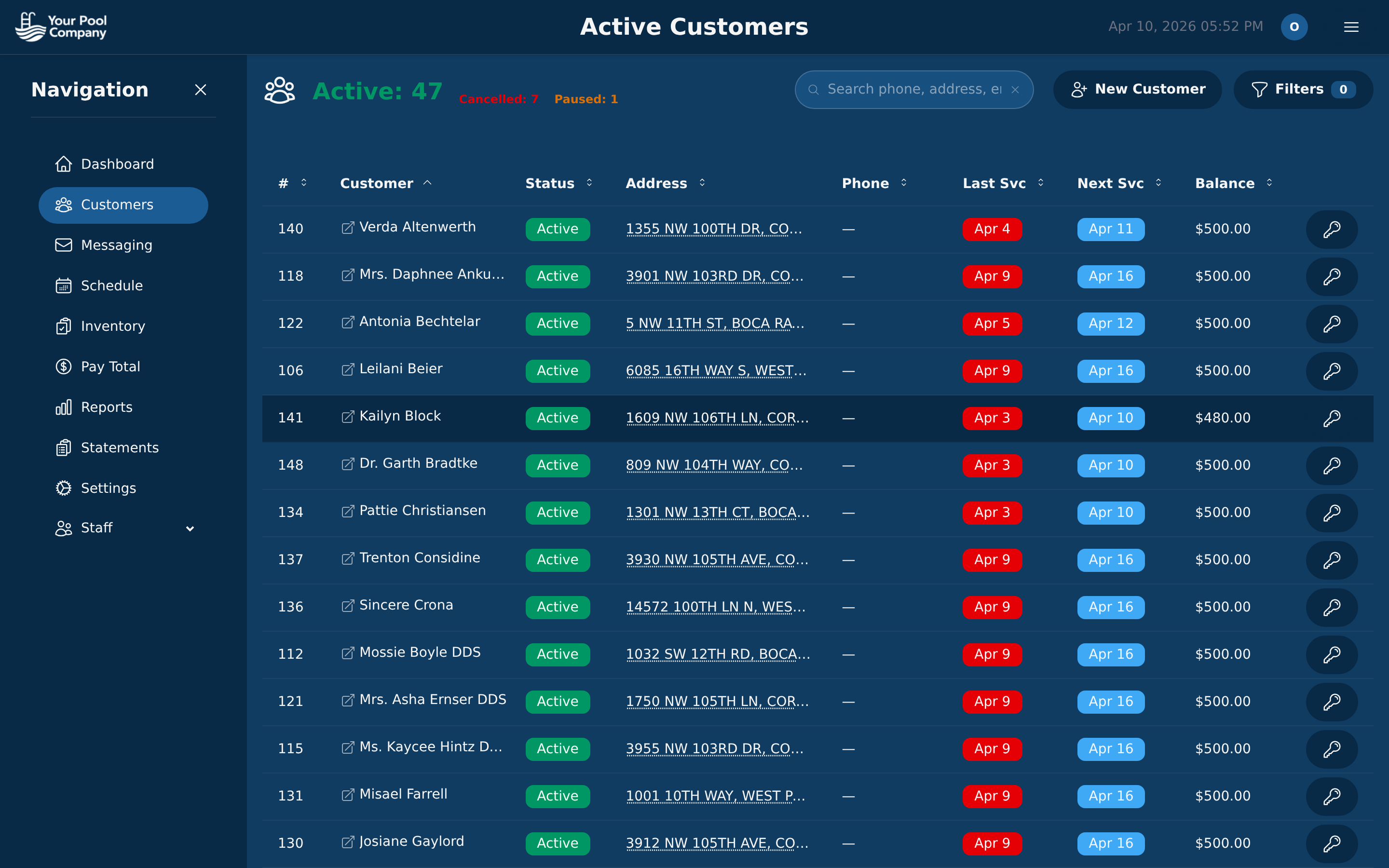
See all your customers at a glance — status, address, last service, next service, and balance. Click any customer to see their full profile with billing history, services, messages, and more.

Active customers list with status, addresses, service dates, and balances

Customer List — status, balance, last & next service

Customer detail page with contact info, addresses, and notes

Customer Detail — everything about one customer

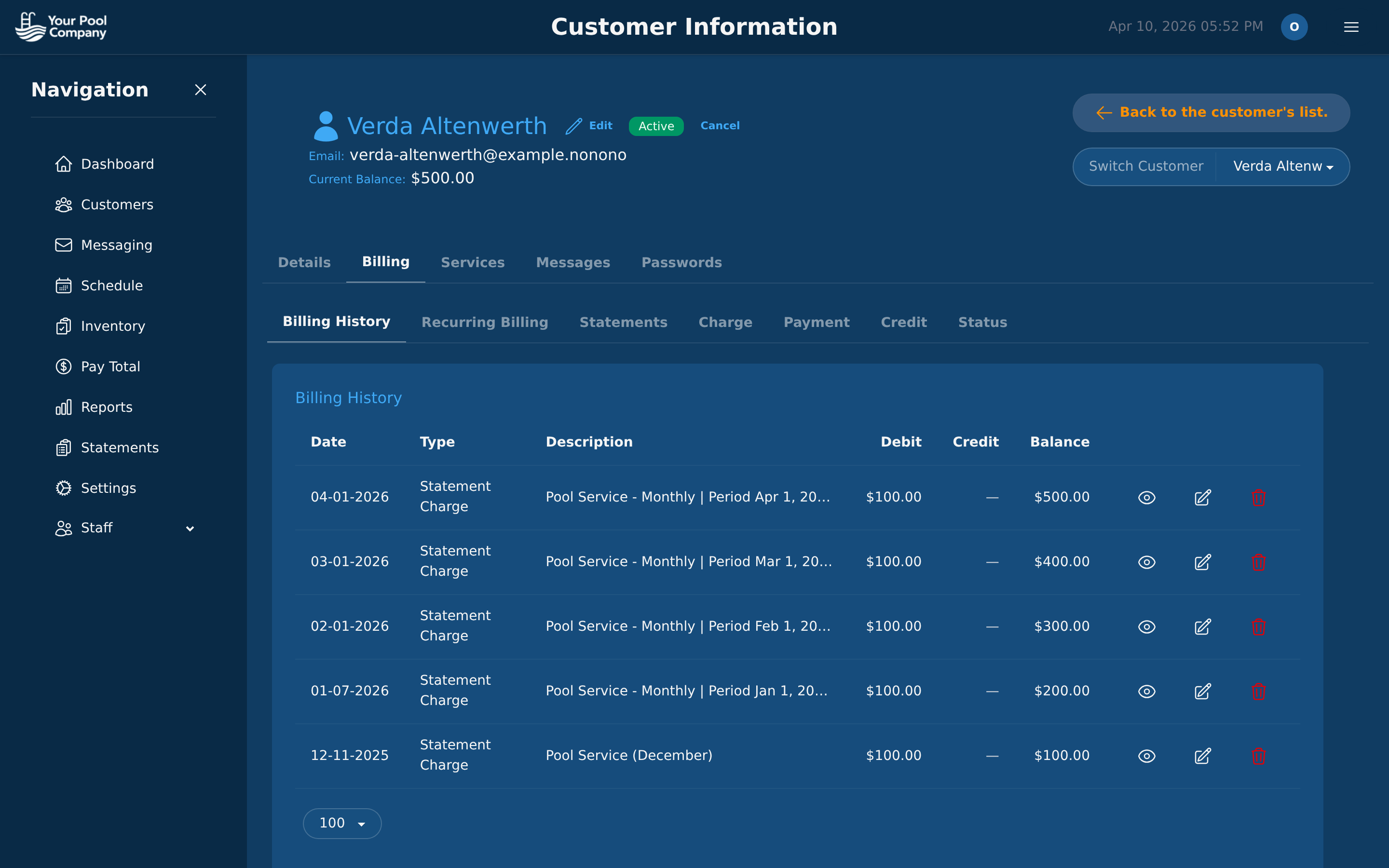
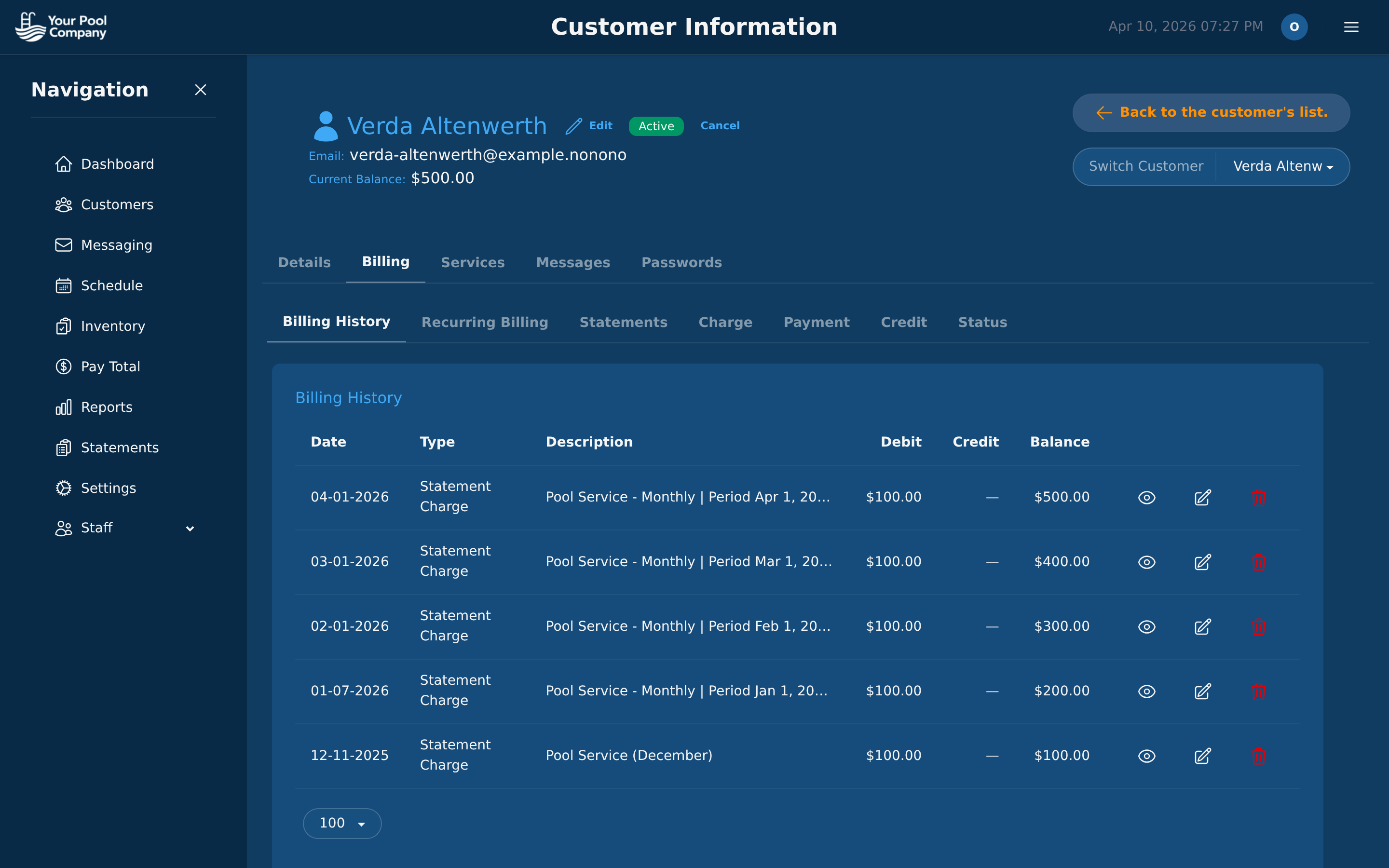
Customer billing history with charges, payments, and running balance

Billing Tab — full transaction history

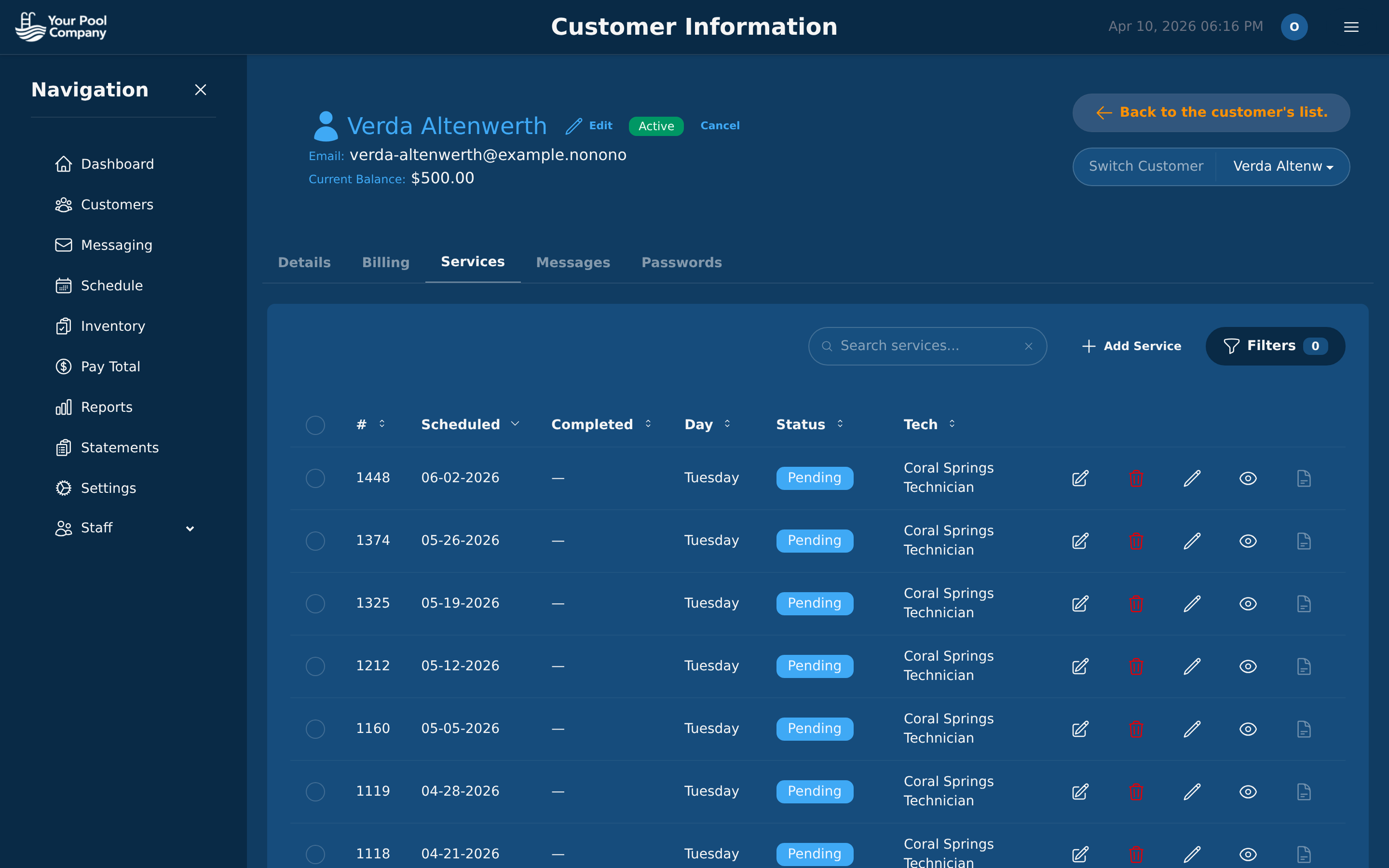
Customer services tab showing active subscriptions and service details

Services Tab — subscriptions & service details

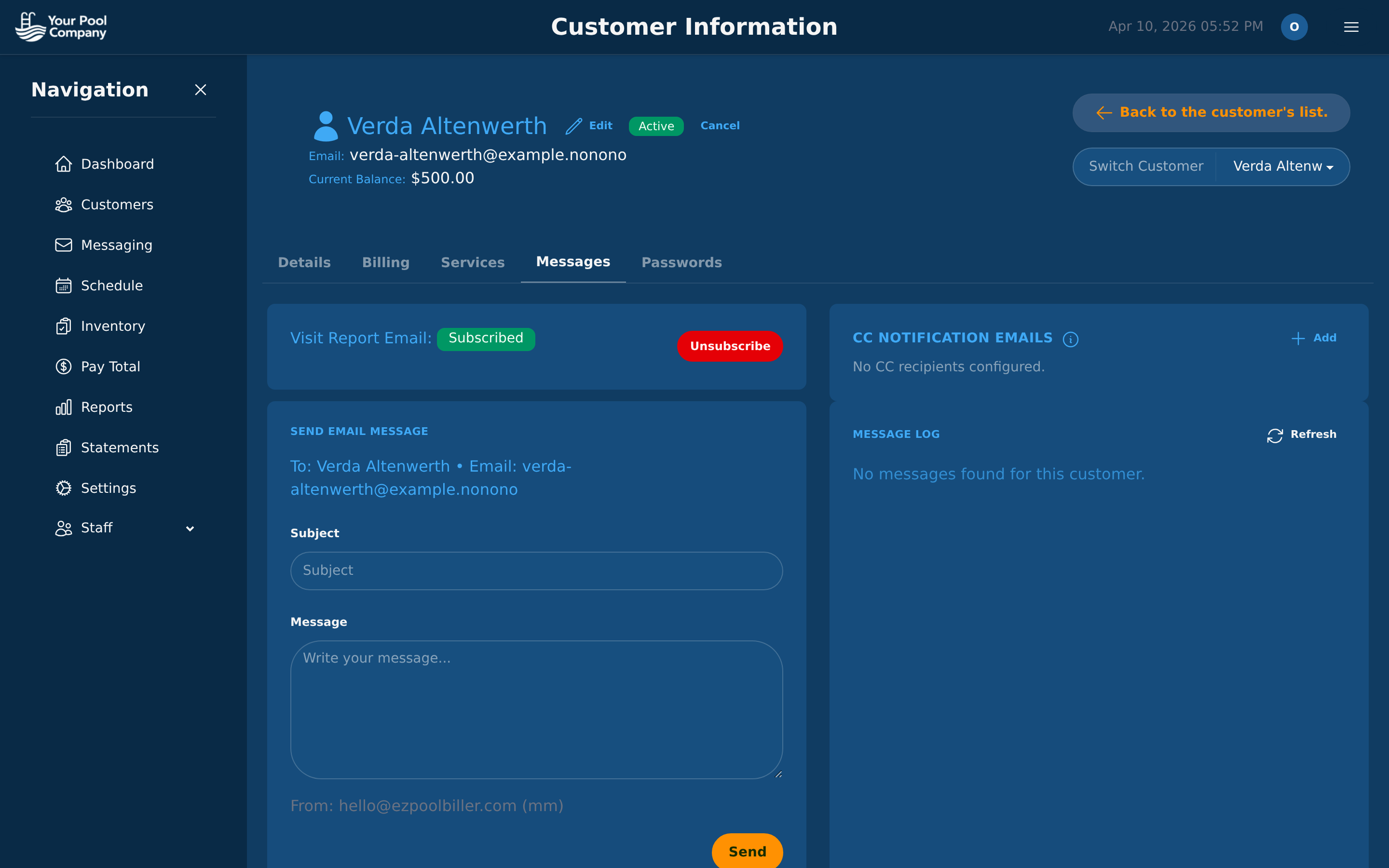
Customer messages tab with communication history

Messages Tab — communication history

3

Routing & Scheduling

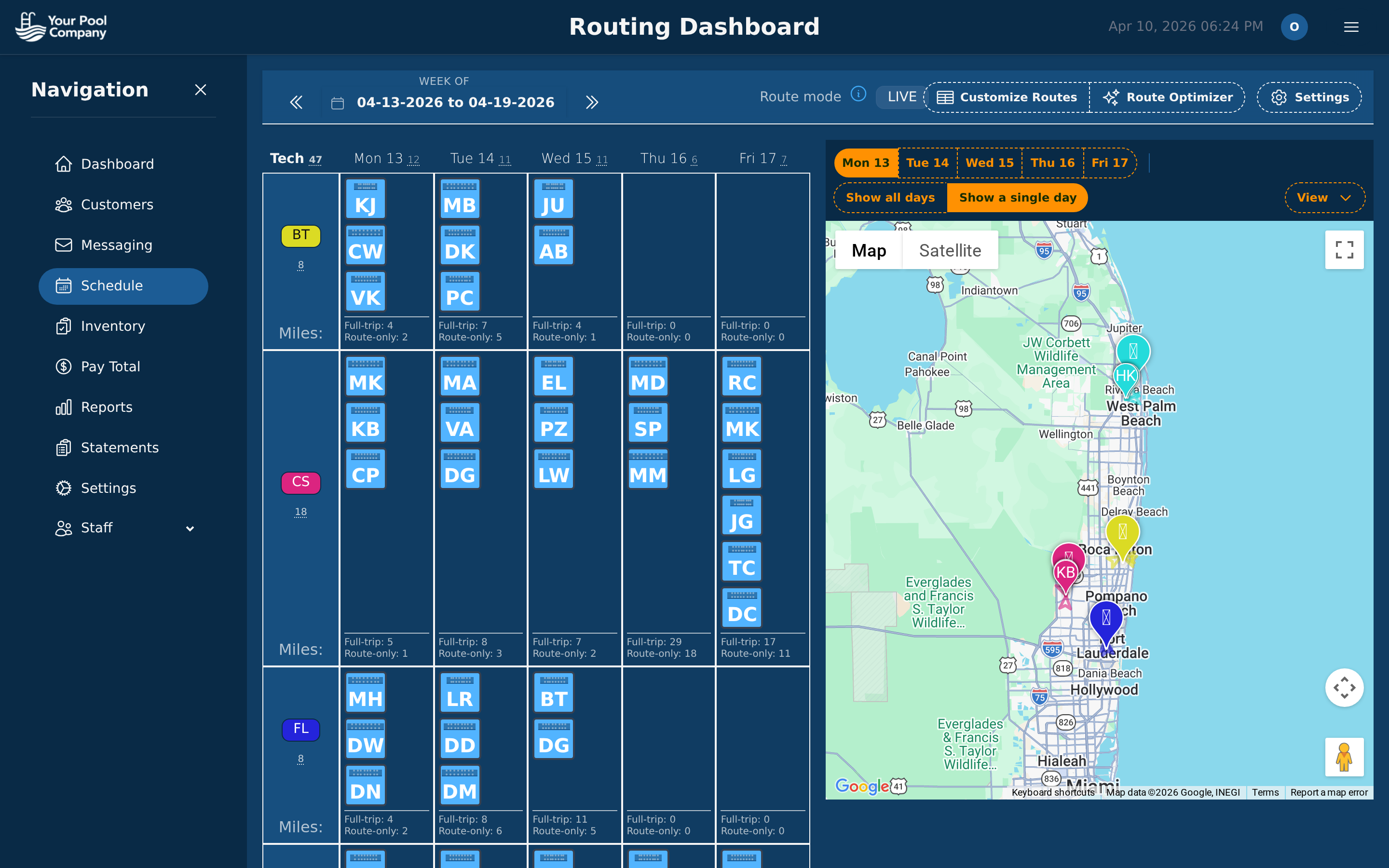
Plan your entire week on one screen. The routing dashboard shows a weekly calendar with technician assignments on the left and an interactive map on the right. Drag and drop to reassign stops. The route optimizer arranges stops for minimum drive time.

Routing dashboard with weekly calendar, technician grid, and interactive Google Maps showing service stops

Routing Dashboard — calendar + map in one view

Learn more about Route Optimization →

4

Billing & Payments

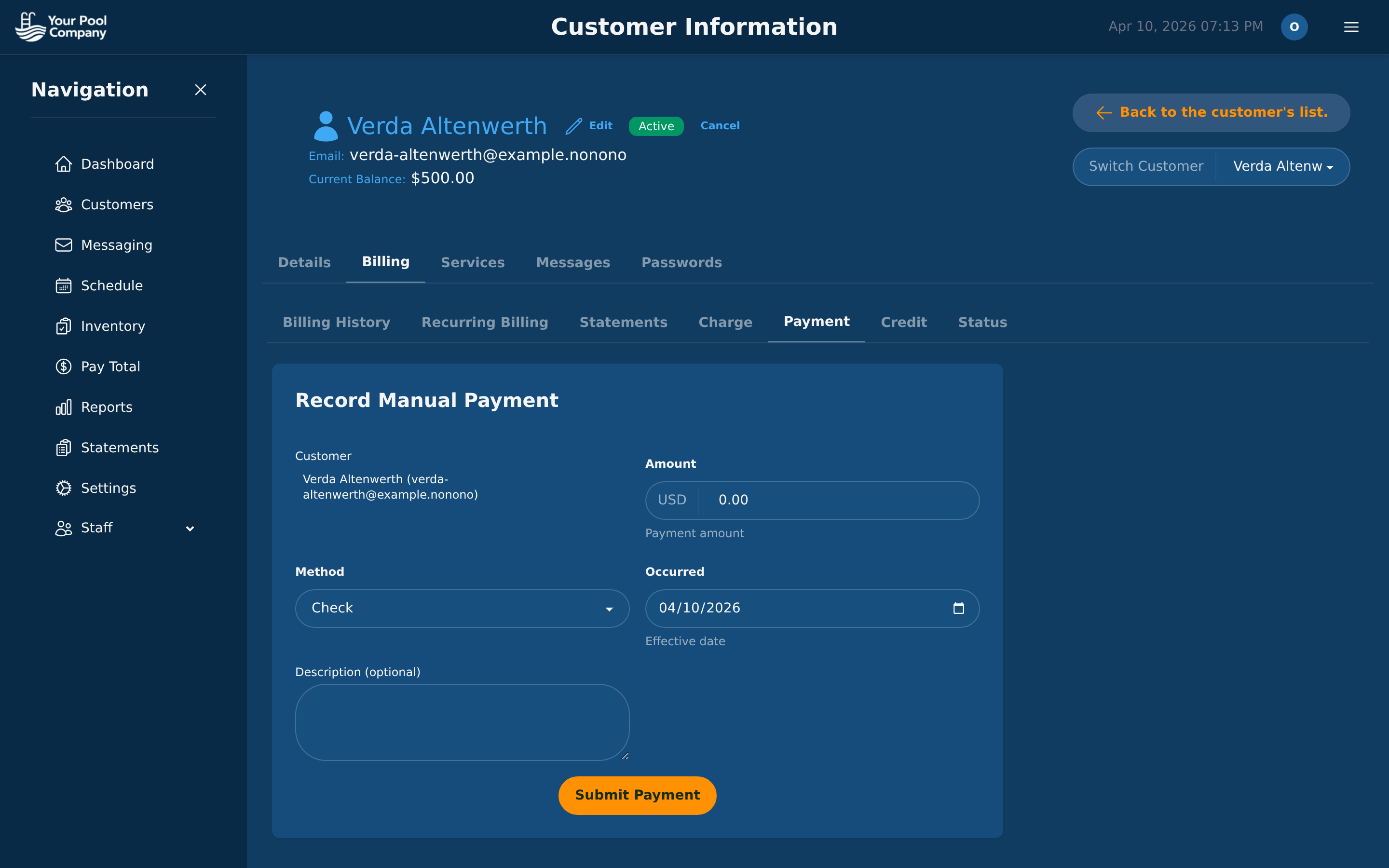
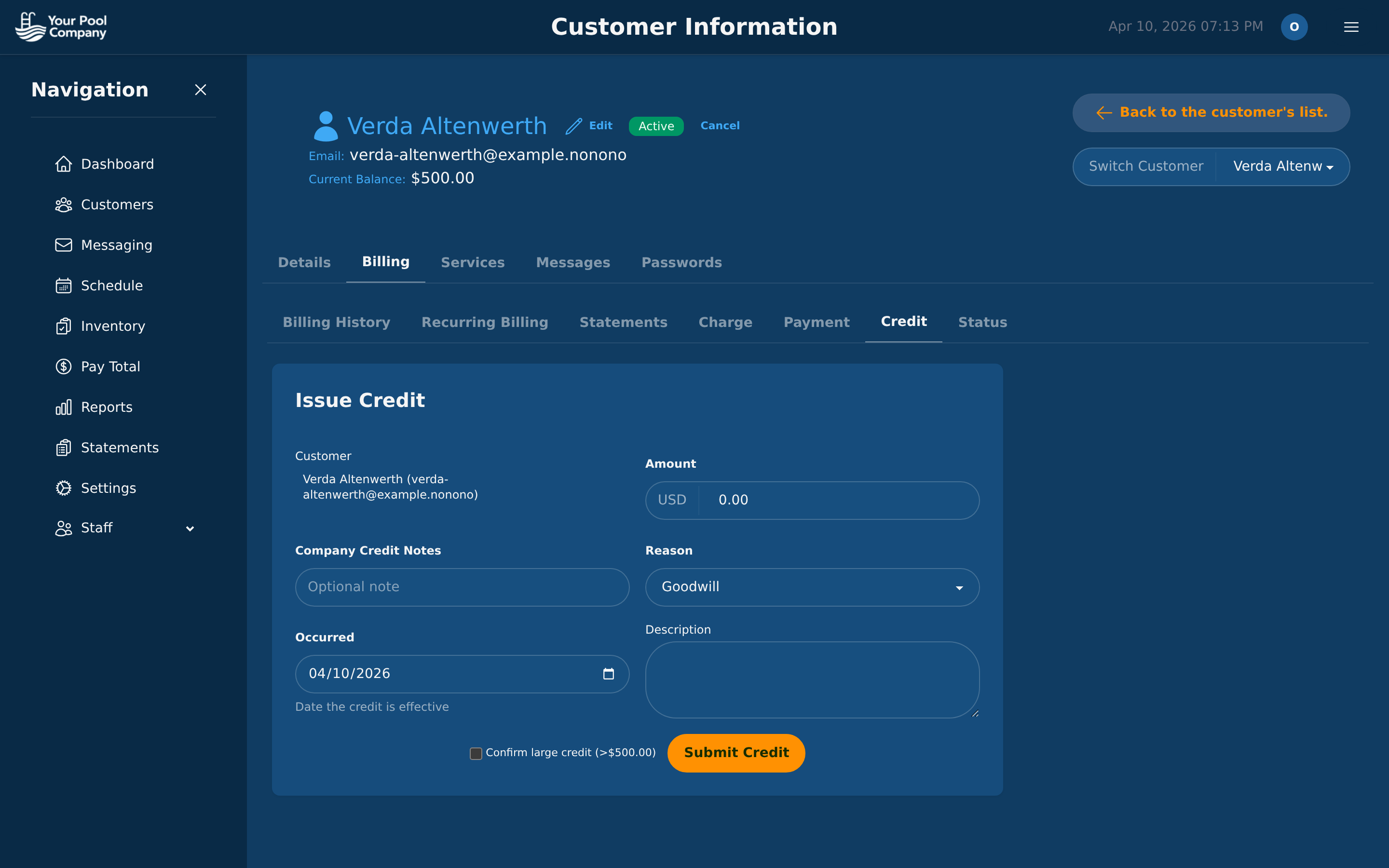
Every customer has a complete billing hub with seven tabs. View transaction history with running balances, manage recurring billing, send statements, issue charges (service, repair, service call) with optional sales tax, record payments (Zelle, check, cash, Cash App), and issue credits with reason tracking.

Billing History tab showing transaction ledger with date, type, description, debit, credit, and running balance

Billing History — transaction ledger with running balance

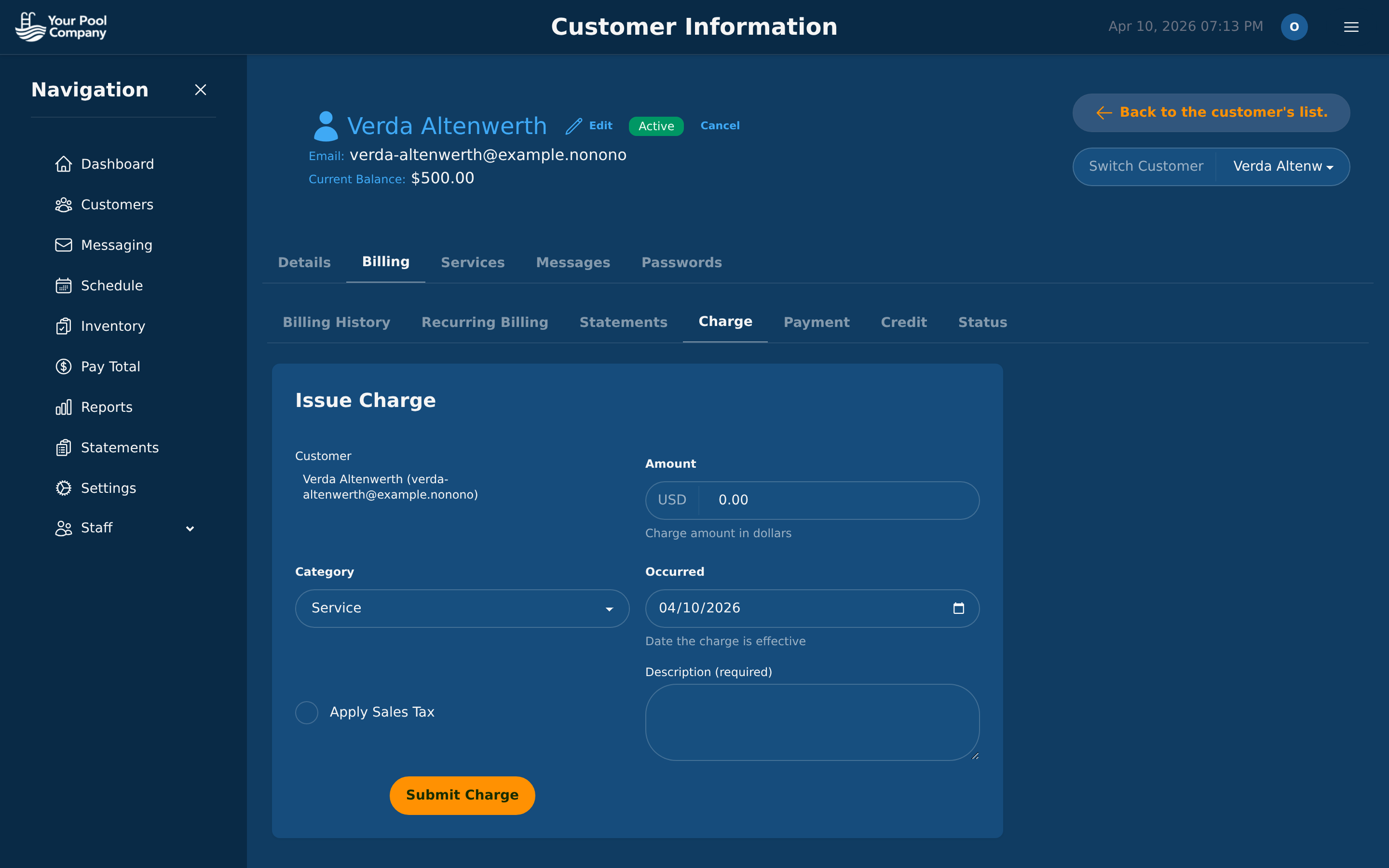
Issue Charge tab with amount, category, date, description, and sales tax toggle

Issue Charge — with category and sales tax

Record Payment tab with amount, method (Zelle/check/cash), reference number

Record Payment — Zelle, check, cash, Cash App

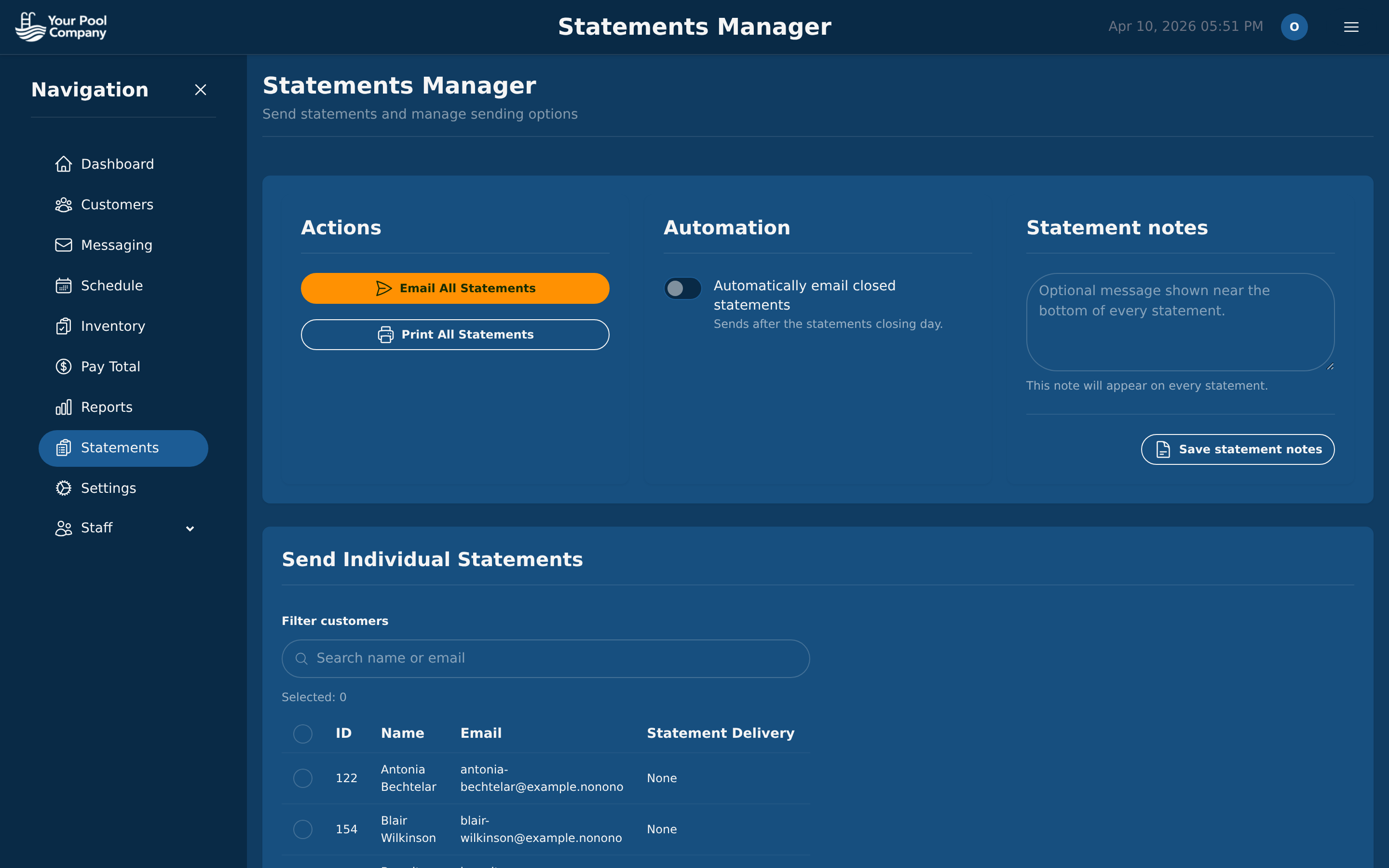
Statements Manager with email all, print all, and automation settings

Statements Manager — email or print in bulk

Issue Credit tab with amount, reason (goodwill/adjustment/error), and large credit confirmation

Issue Credit — goodwill, adjustment, error tracking

Learn more about Billing & Payments →

5

Reports & Analytics

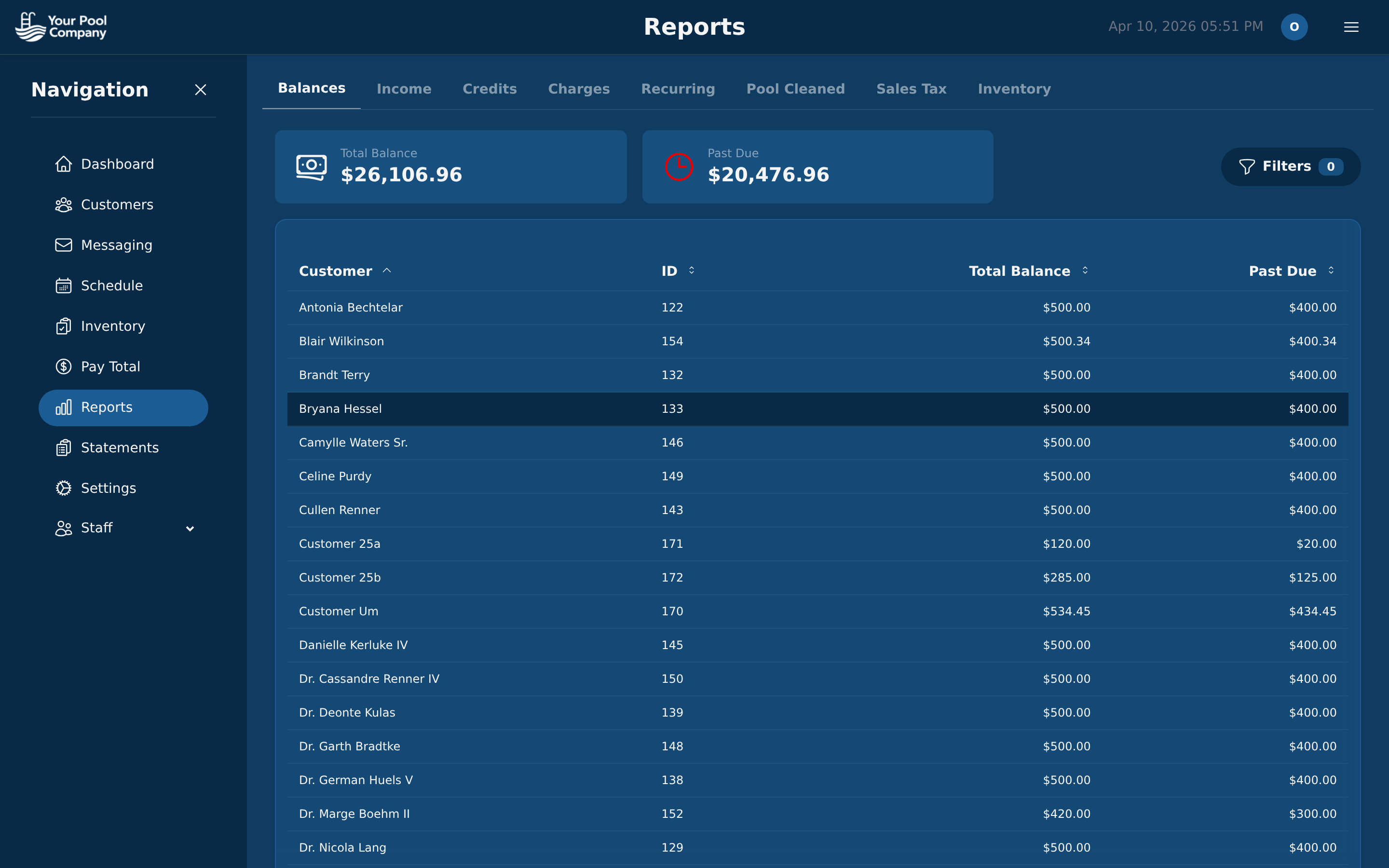
Track your business health with built-in reports: revenue, customer balances, aging, recurring revenue, services completed, chemical costs, technician performance, and more. Filter by date, customer, or service type.

Reports dashboard with financial, operational, and inventory report options

Reports Dashboard — all your business data in one place

Learn more about Reports →

6

Messaging & Notifications

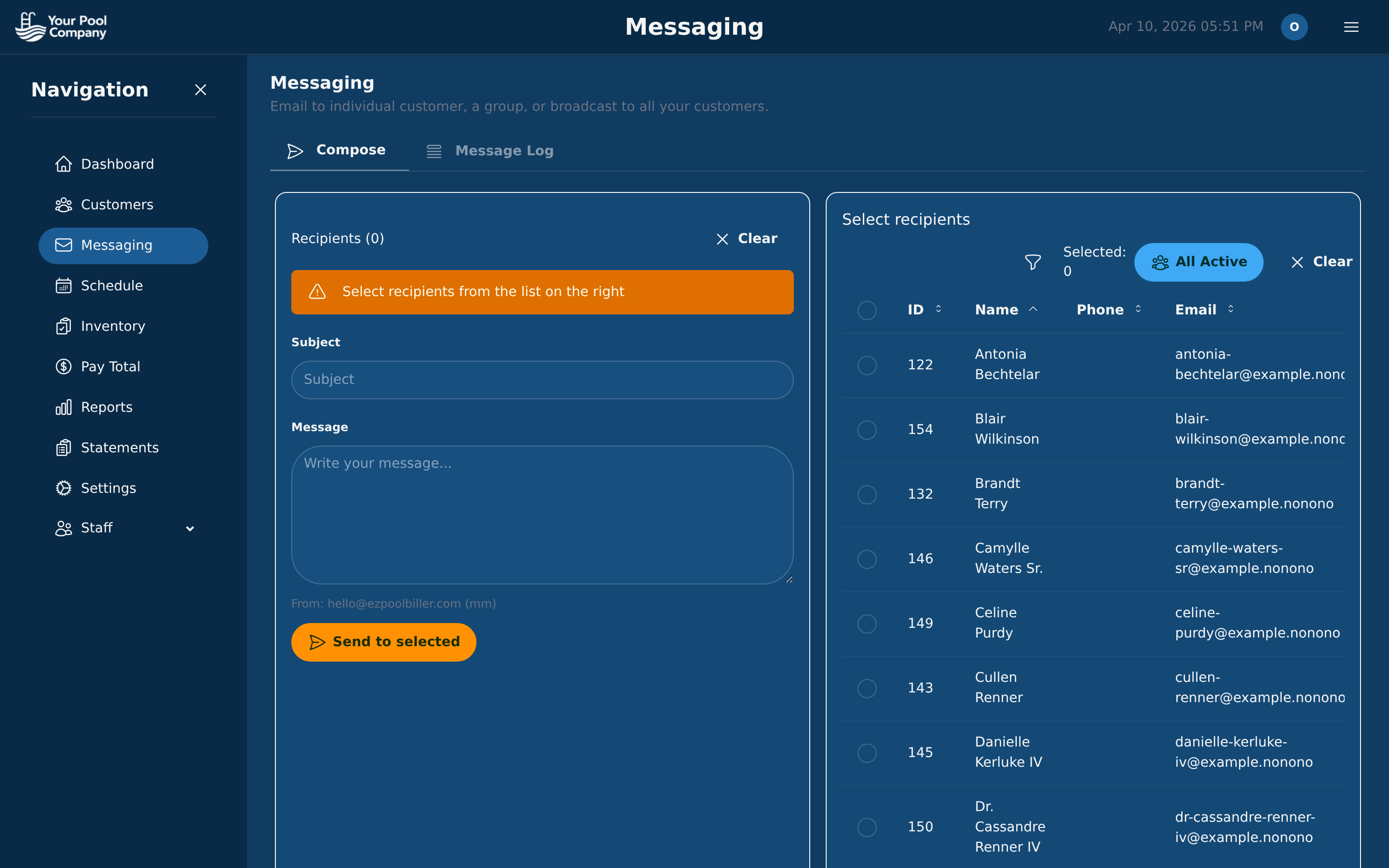
Send emails and texts to your customers — appointment reminders, service completion reports with photos, payment alerts, and custom broadcasts. Customers receive visit reports automatically after each service.

Messaging center for email and SMS communications with customers

Messaging Center — email and SMS in one view

Learn more about Notifications →

7

Inventory & Chemicals

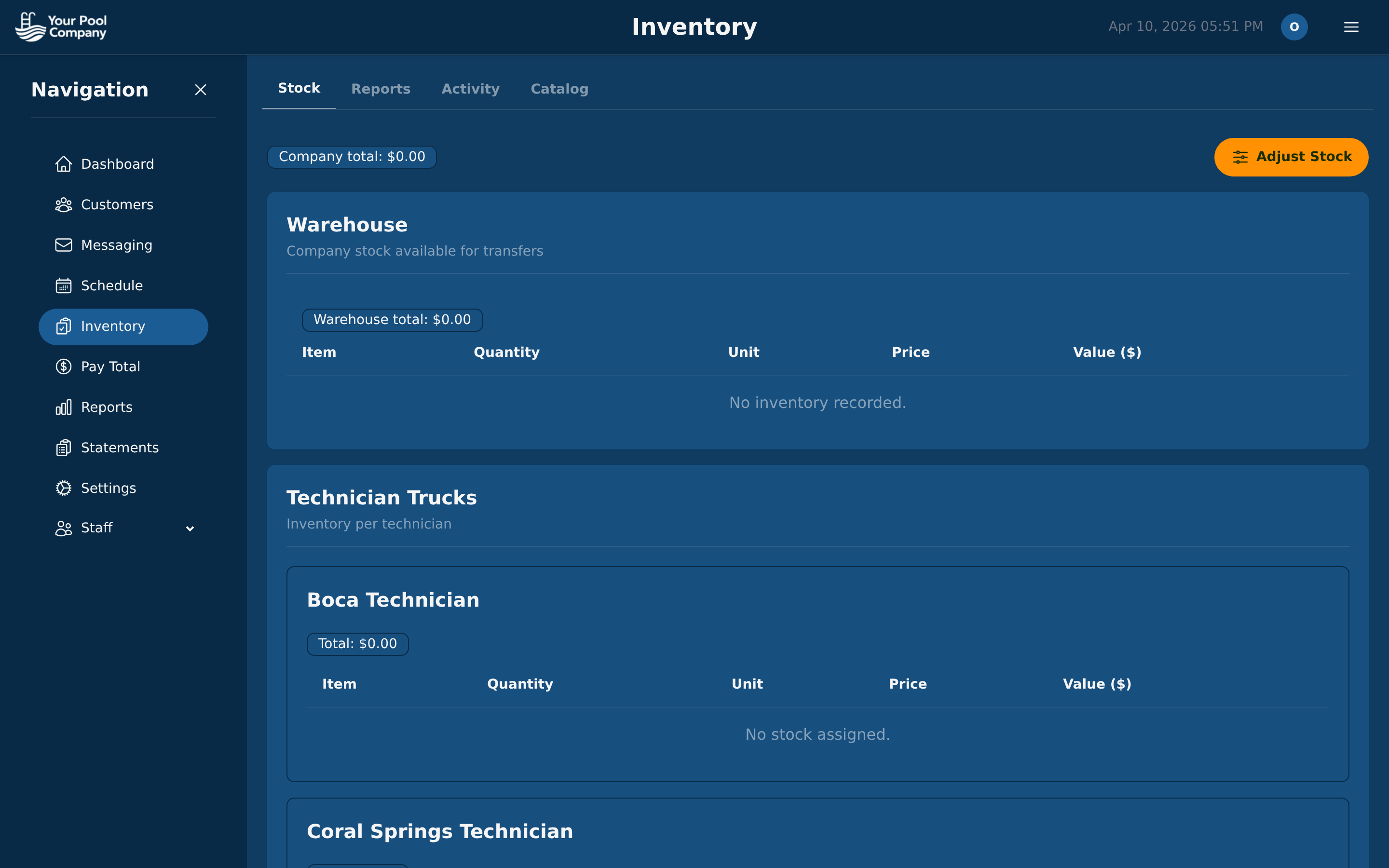
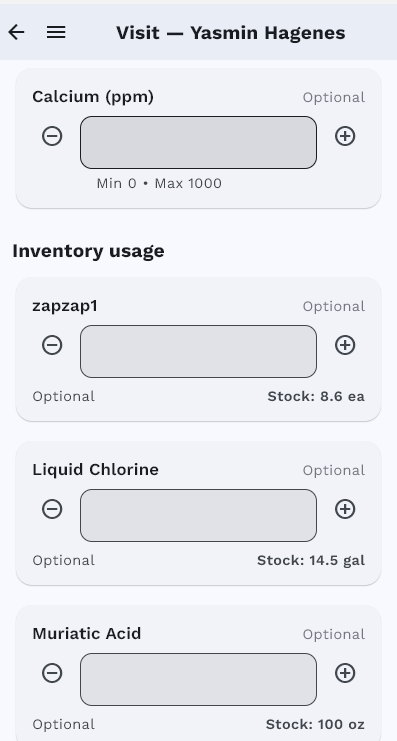
Track every chemical and part your team uses. See stock levels, manage truck inventory, and track usage per service visit. Technicians log chemical usage directly from the mobile app.

Inventory management dashboard with stock levels and items

Inventory Dashboard — stock levels at a glance

Mobile app inventory usage with chemical stock levels

Learn more about Inventory →

8

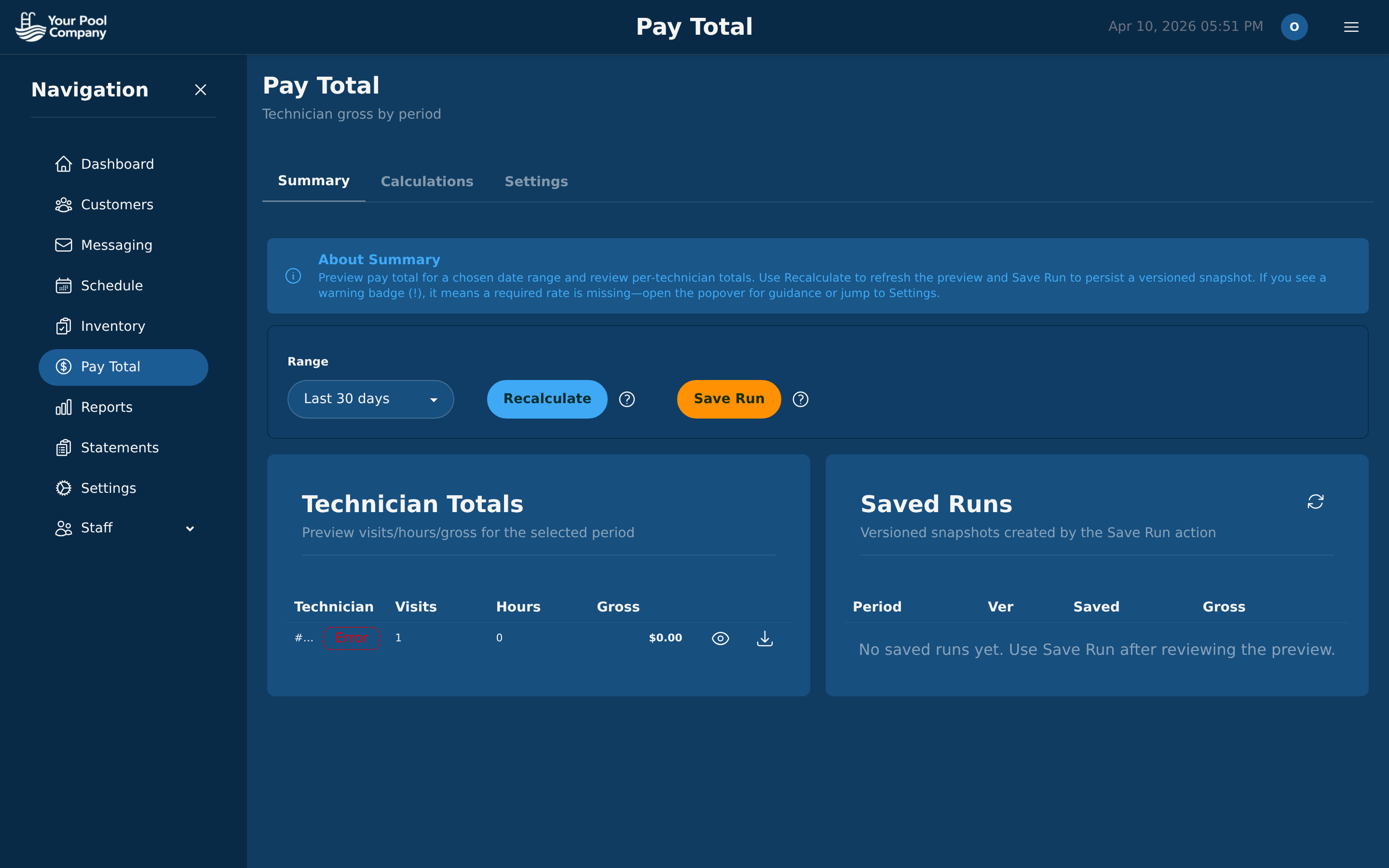
Team & Payroll

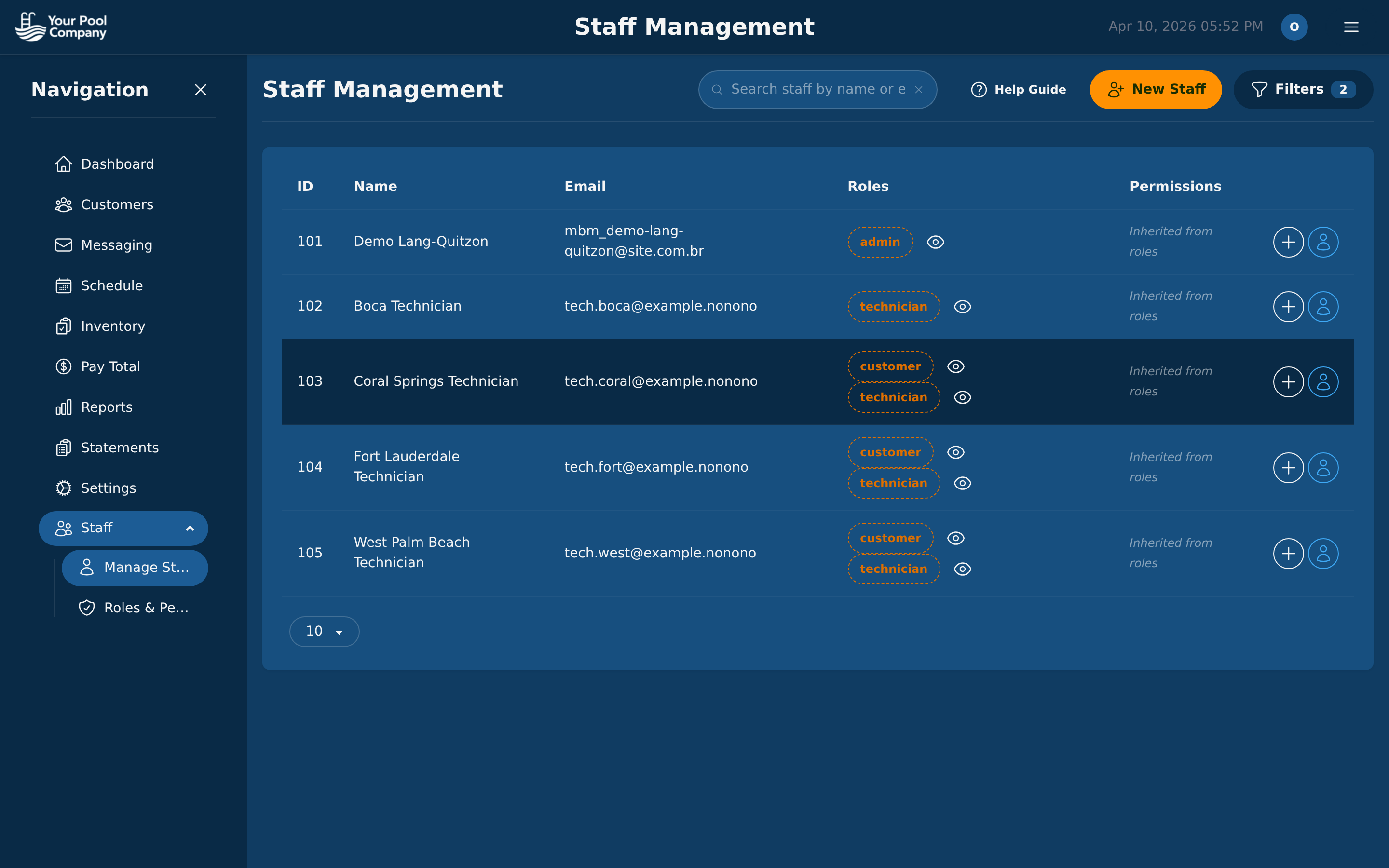
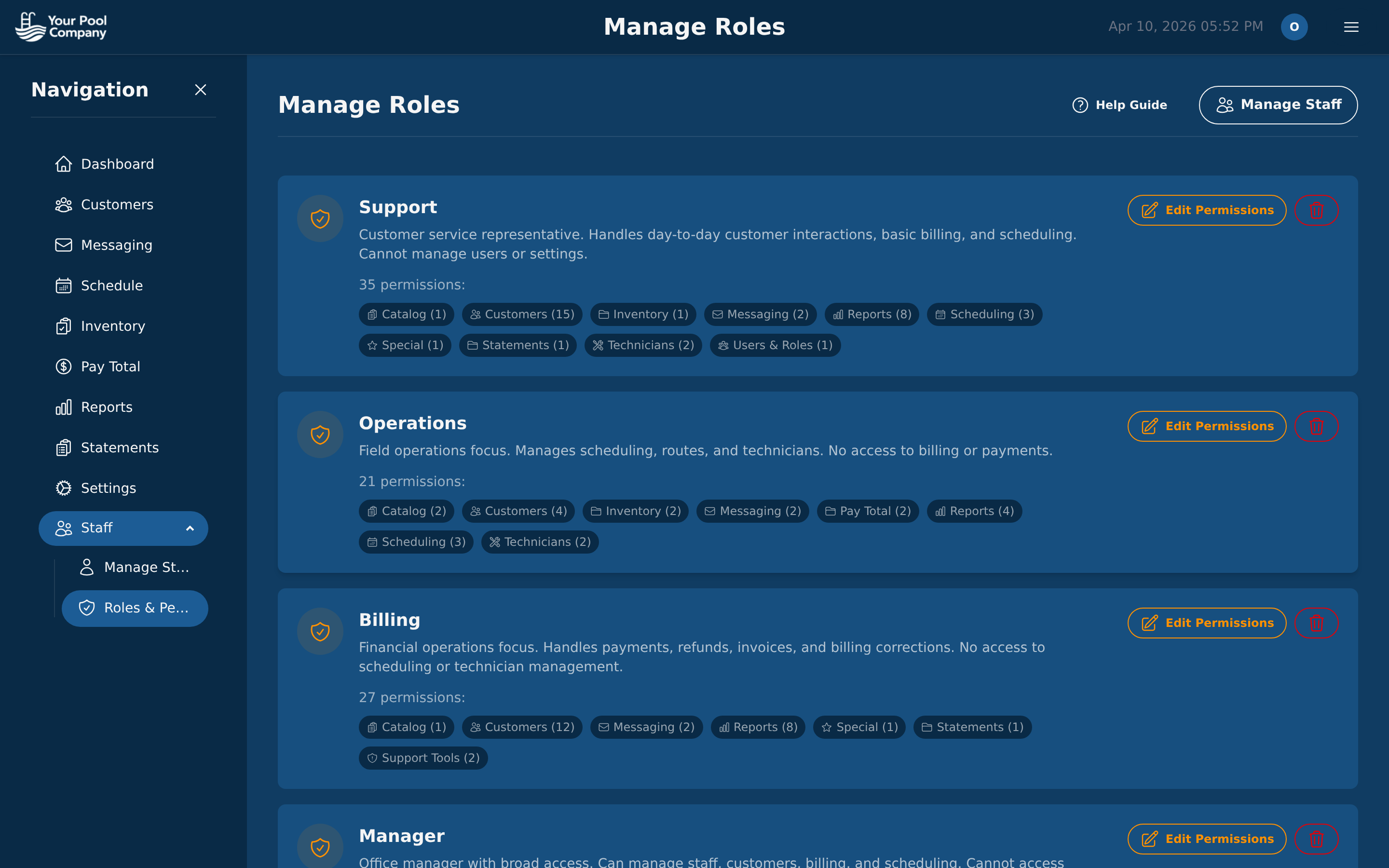
Manage your team with roles and permissions. Each staff member sees only what they need. Track technician pay with configurable earning types, run payroll, and generate statements. Impersonate any staff member to see the app as they see it.

Staff management with roles, permissions, and impersonate buttons

Staff Management — roles, permissions, impersonation

Payroll management with technician earnings

Payroll — technician pay and earnings

Roles and permissions editor with granular access control

Roles & Permissions — fine-grained access control

9

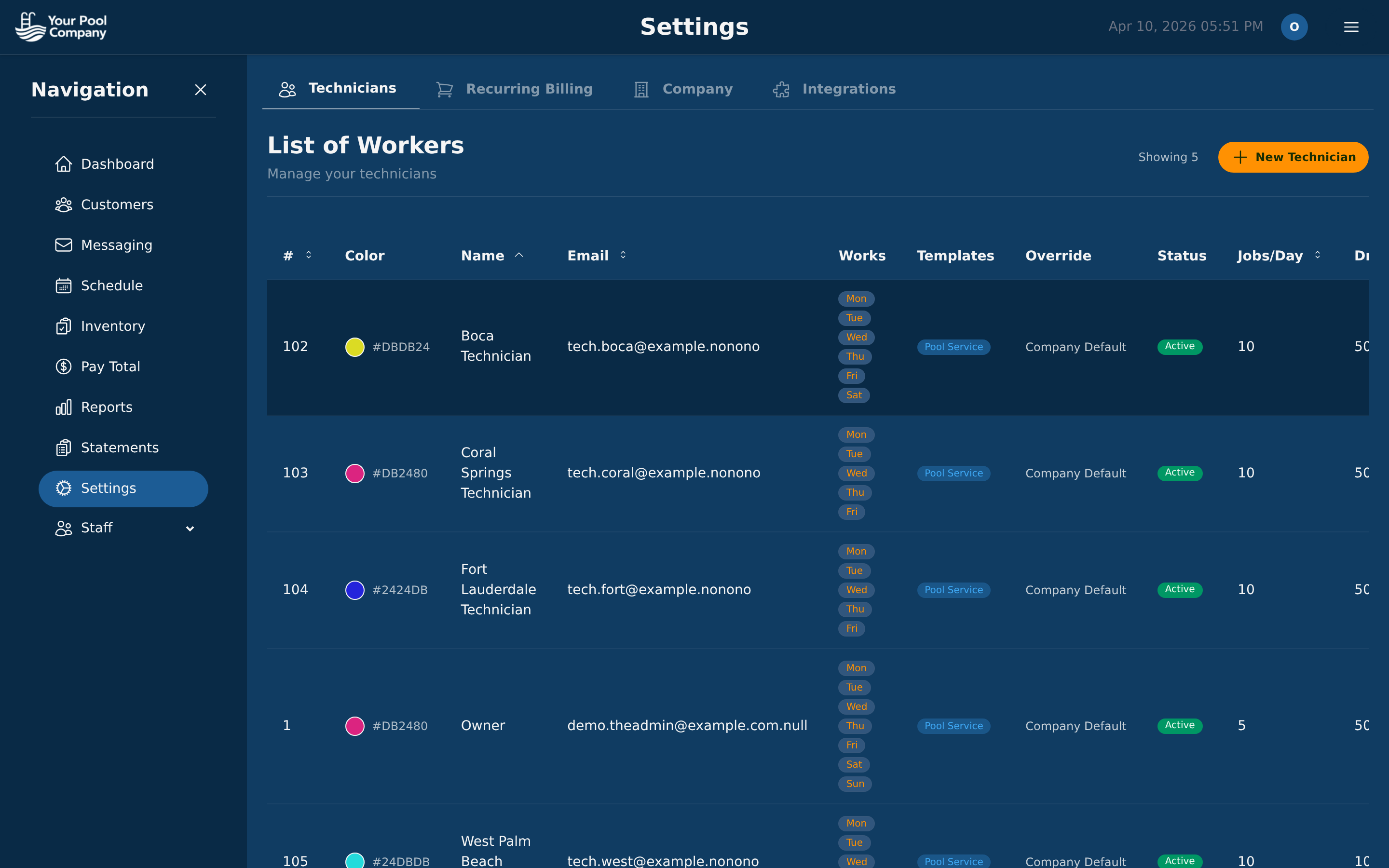
Settings & Configuration

Configure your company name, timezone, billing preferences, payment gateways (Stripe, PayPal), email settings, customer portal, and more — all from one settings panel.

Company settings with billing, payment gateway, and portal configuration

Settings — configure everything in one place

10

Mobile App for Technicians

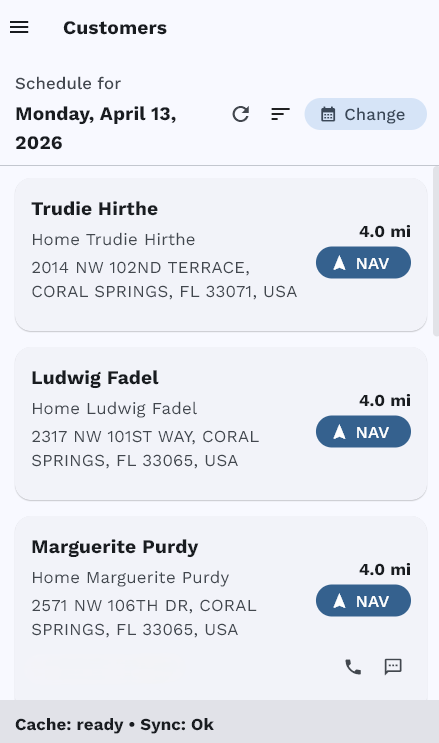
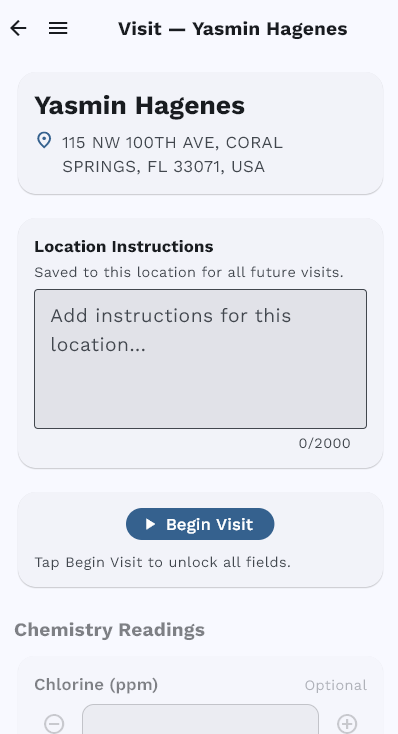
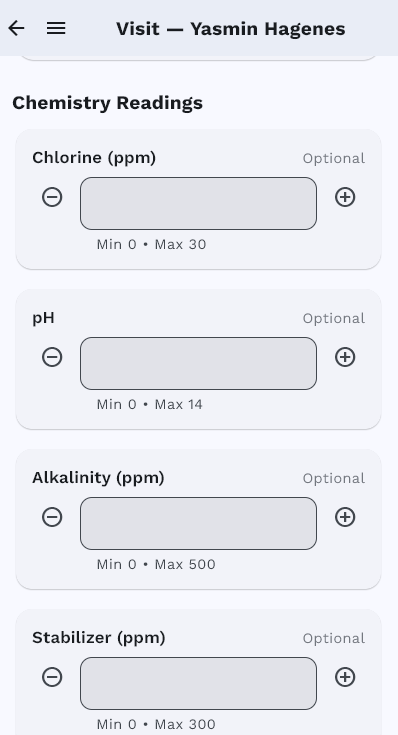
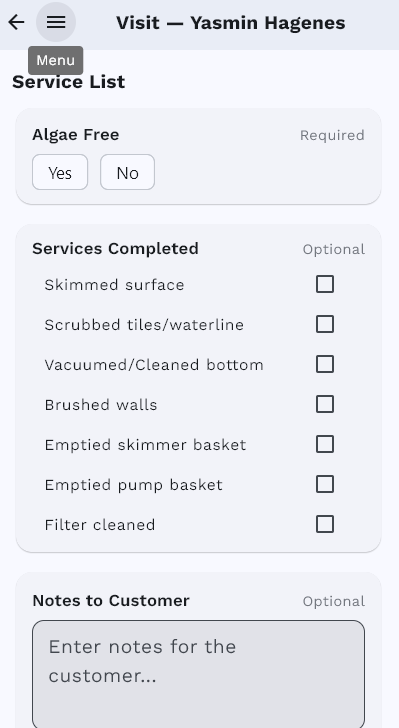
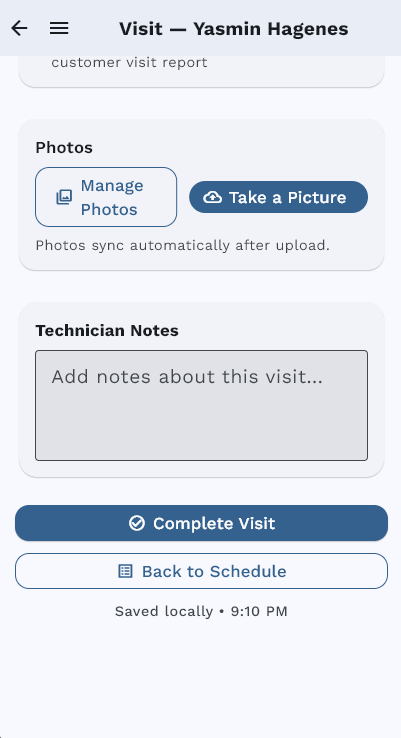
Your technicians get a native iOS/Android app with their daily schedule, customer details, service checklists, chemical readings, photo capture, and offline mode. Every visit follows a guided workflow.

Daily schedule with customer stops

Daily Schedule

Visit start screen with Begin Visit button

Begin Visit

Chemical readings entry

Chemistry

Service checklist completion

Checklist

Photo capture and complete visit

Photos & Complete

Learn more about the Mobile App →

11

Customer Portal

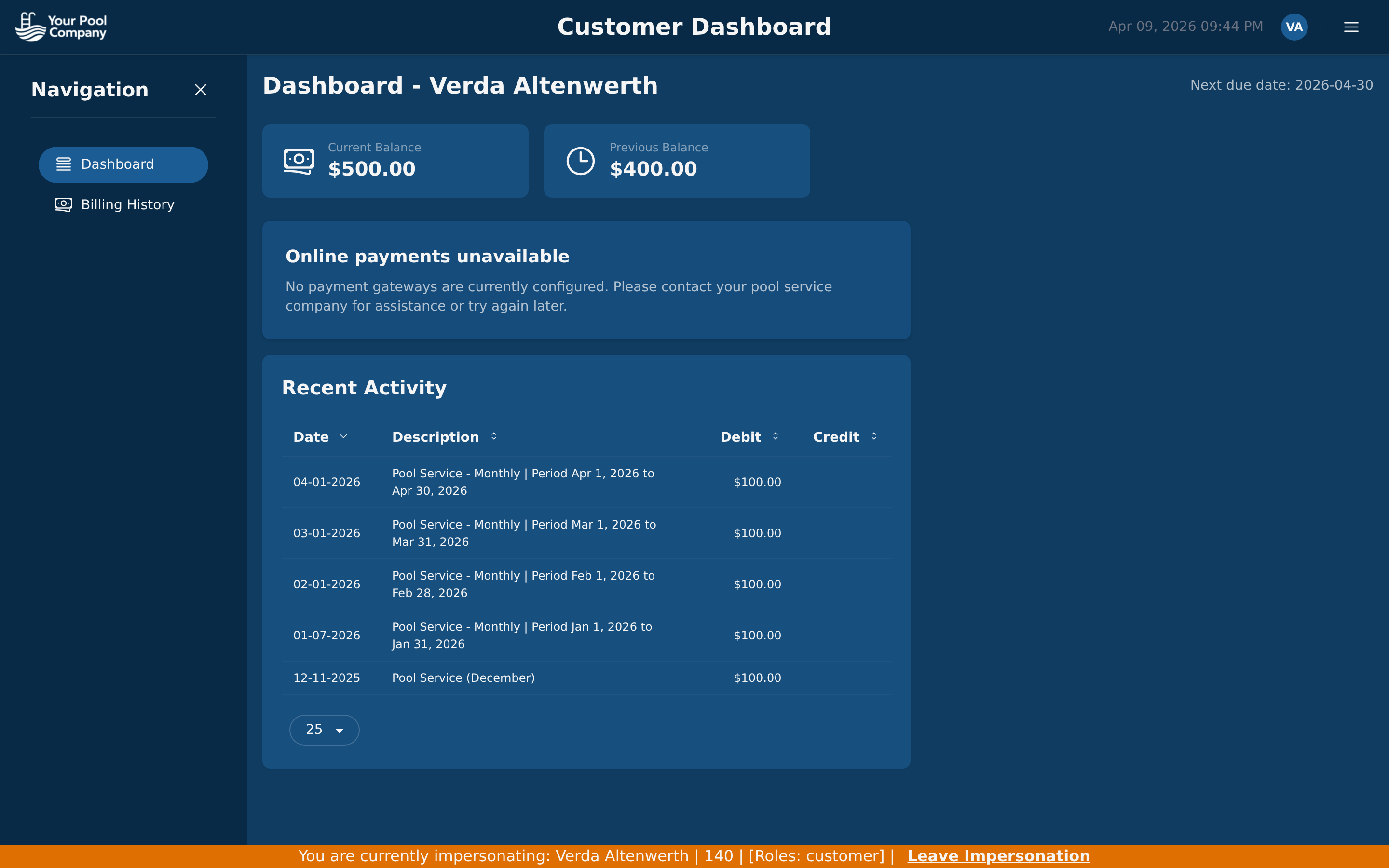
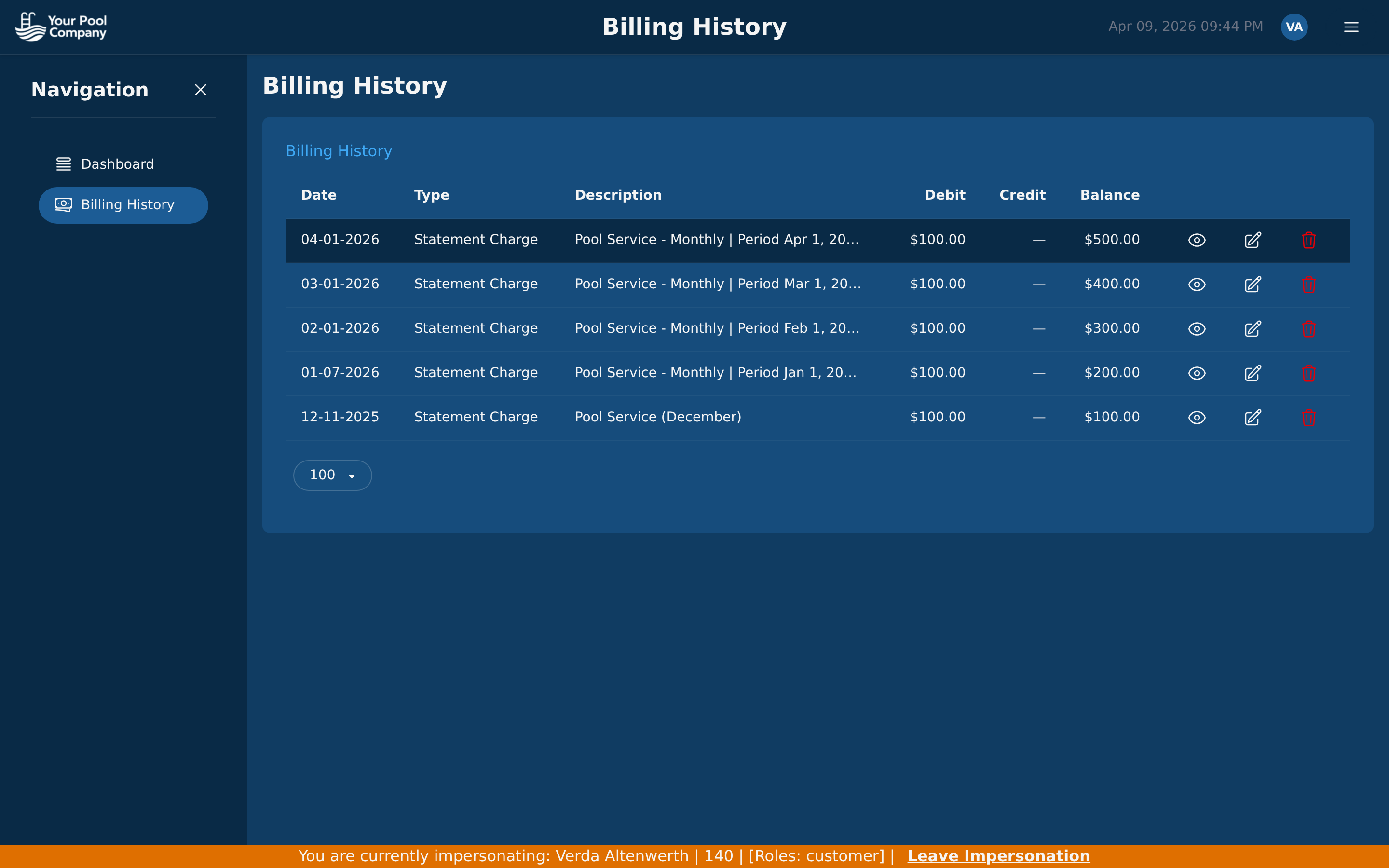
Your customers get their own self-service portal. They can view invoices, check their balance, see billing history, and make payments — all without calling your office. You can impersonate any customer to see exactly what they see.

Customer portal dashboard with balance, recent activity, and payment options

Customer Dashboard — balance, activity, payments

Customer portal billing history with transaction details

Billing History — full transaction detail

Learn more about the Customer Portal →

Ready to Try It Yourself?

Everything you just saw is included for $35/month. No hidden fees. Free data transfer from your current software.

No credit card required. Setup in under 30 minutes.