Features / QuickBooks Integration

QuickBooks Integration That Just Works

Connect EZ Pool Biller to QuickBooks Online with one click. Customers, invoices, and payments sync automatically so your books are always up to date.

One-Click Secure Connection

Connecting to QuickBooks Online takes seconds. Click Connect, sign in to your Intuit account, and authorize the connection. EZ Pool Biller uses Intuit's official OAuth flow so your credentials are never stored in our system.

  • Official Intuit integration — secure OAuth connection, no passwords stored
  • Connect in seconds — one click from Settings to get started
  • Disconnect anytime — revoke access whenever you want
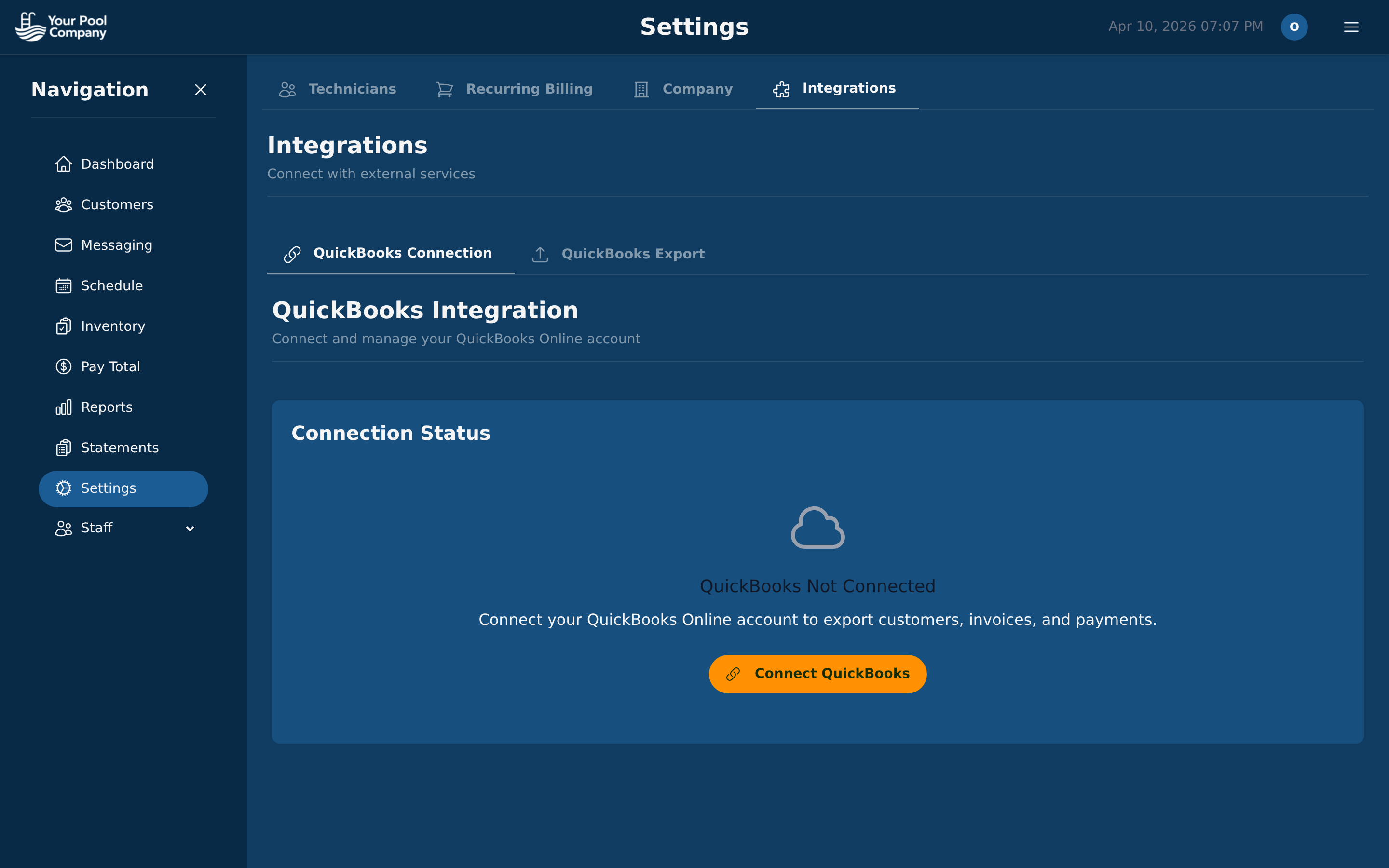
EZ Pool Biller QuickBooks integration page showing Connection Status with Connect QuickBooks button under Settings > Integrations

What Gets Synced

One-way sync from EZ Pool Biller to QuickBooks Online. Your data flows out — QuickBooks is never modified back.

EZ Pool Biller QuickBooks What's Exported
CustomersCustomersName, email, phone, billing address
Service TemplatesItems / ServicesService name, description, price
StatementsInvoicesLine items (charges, late fees, tax), period dates, due date, doc number (STMT-YYYY-MM-ID)
PaymentsPaymentsAmount, date, gateway transaction ID, linked to QB invoice

Auto-Sync or Bulk Export

Turn on automatic sync and new customers, closed statements, and payments export to QuickBooks as they happen. Or run bulk exports manually from the Export Dashboard.

  • Auto-sync toggle — when ON, new records export automatically as they're created
  • Bulk export buttons — export all customers, items, statements, or payments with one click
  • Export status tracking — see exported, pending, skipped, and failed counts per entity type
  • Failed export retry — view error details and retry failed statements or payments
  • Default income account — select which QuickBooks income account receives exported invoices
EZ Pool Biller settings page with Integrations tab showing QuickBooks Connection and Export options

Export Status You Can Trust

Every record exported to QuickBooks is tracked with a clear status. Know exactly what synced, what's pending, and what needs attention.

1

Record Created

Invoice or payment generated in EZ Pool Biller

2

Auto Export

Data sent to QuickBooks Online automatically

3

Status Tracked

Each record shows synced, pending, or error status

4

Error Details

Clear error messages with one-click retry

QuickBooks Integration FAQ

Inventory Management Notifications

Keep Your Books in Sync — Automatically

Connect QuickBooks Online and never manually enter pool service data again.

No credit card required. Free data transfer from your current software.