14. Messaging, SMS & Notifications
14.1 Email Notifications
EZ Pool Biller sends these emails on its own:
| When It's Sent | |
|---|---|
| Statement | When a monthly statement closes (if auto-email is enabled) |
| Payment Confirmation | When a payment is received |
| Payment Failed | When an autopay charge fails |
| Password Reset | When a customer or staff member requests a password reset |
| Subscription Paused | When a subscription is auto-paused for nonpayment |
| Subscription Resumed | When a subscription is auto-resumed after payment |
| Visit Report | After a service visit is completed (if enabled) |
| Portal Login | When a customer receives a magic login link |
| Late Fee Added | When an automatic late fee is added (only if switched on in the Late Fees box, 2.2; off by default) |
Who receives them
Every email above goes to the customer's main address and their second address, if they have one — see Section 4. Anyone set up as a CC gets a copy too, limited to the message types you chose for them.
Nobody is emailed twice. If the same address appears in more than one place, it's only sent once.
If a customer's main address is missing or was never valid, the second address is used instead, and CC addresses still get their copies — so the message still lands somewhere.
14.2 The Messaging page
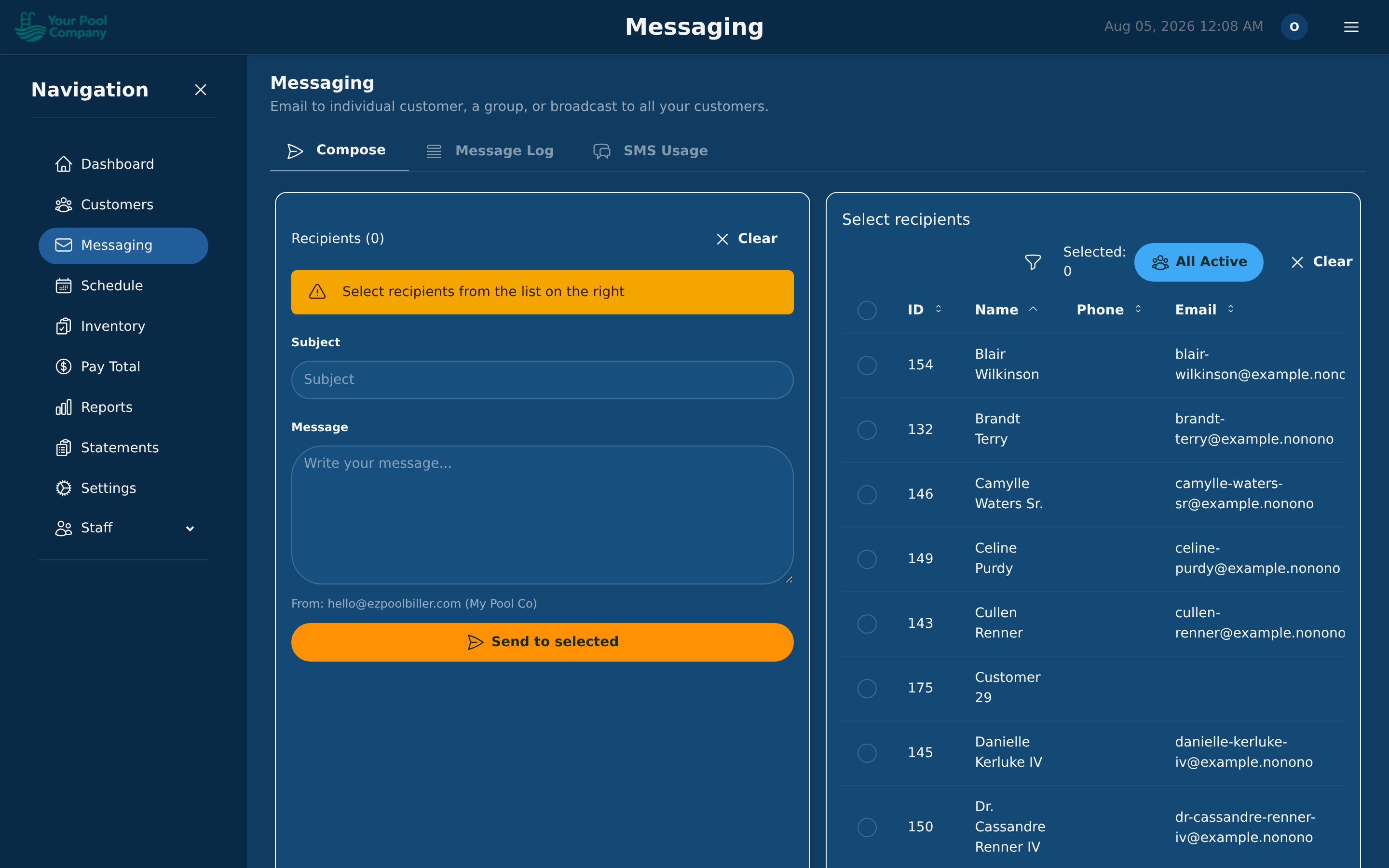
Messaging in the menu has three tabs:
| Tab | What it's for |
|---|---|
| Compose | Write and send an email or text, to one customer or a group |
| Message Log | Everything that's been sent, and whether it arrived |
| SMS Usage | How many texts you've sent and what they've cost |
14.3 Text messages
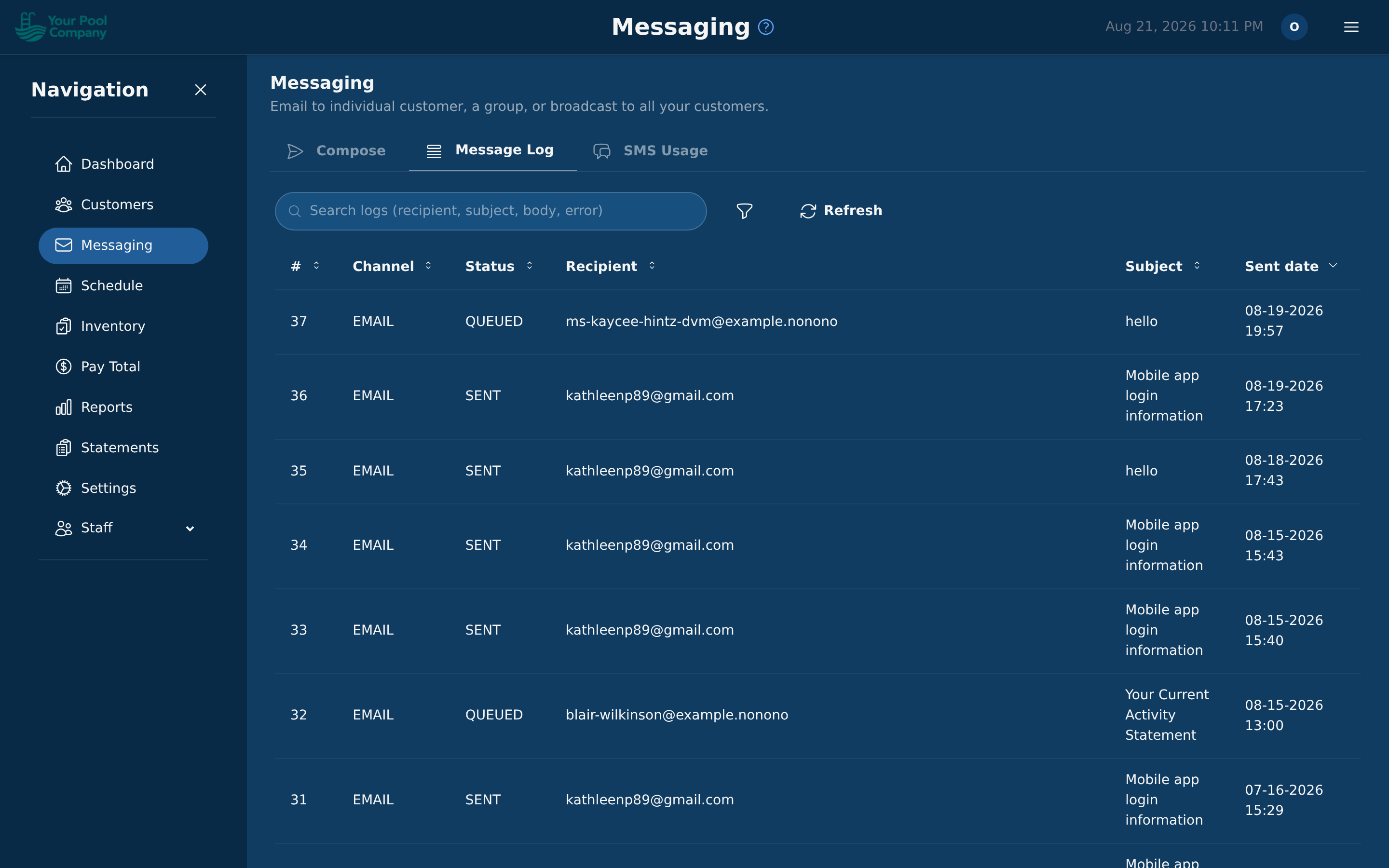
Once text messaging is switched on for your account you can:
- Text one customer from their page.
- Text a group from Compose.
- Send automatic reminders before a pool service.
Message Log shows what happened to each one — sent, delivered, or failed — so you can tell the difference between "they ignored it" and "it never arrived".
14.4 What your texts are costing you
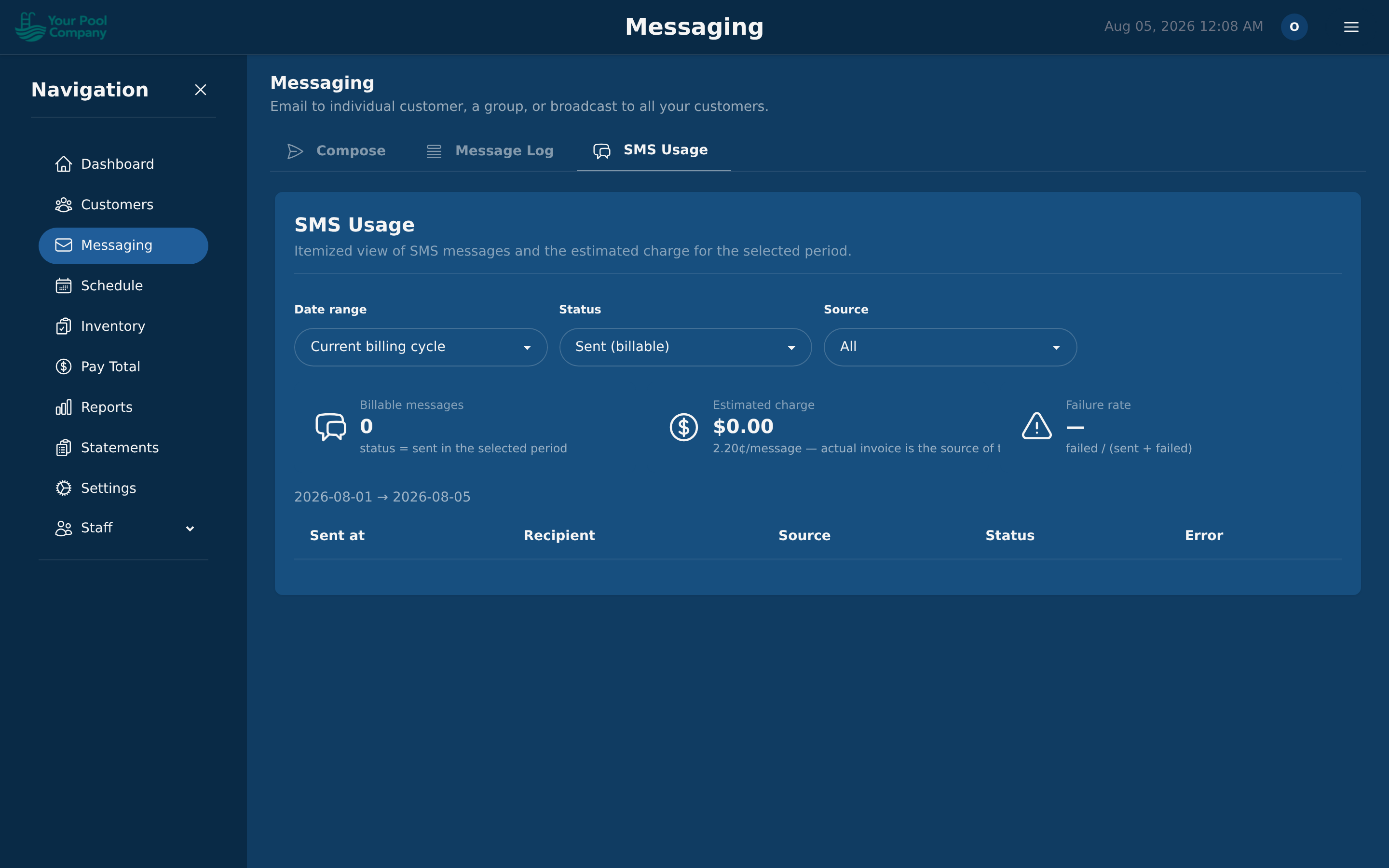
The SMS Usage tab shows how many texts you've sent over a period and what they cost. Worth a look before turning on reminders for every customer.
14.5 Visit Reports
Visit reports are emails (and, with SMS turned on, text messages with a link) sent to customers after each completed pool service. The date always shows. Everything else is chosen in Settings > Visit Reports (see 2.5) and shows only when the pool service recorded it: the address, the technician, the service performed, the start and completion times, the time on site, photos, the chemistry readings, the work done, the products used, notes to the customer, the next scheduled visit, and your company's address and phone.
Customers can unsubscribe from visit reports via a link in the email. You can see and manage opt-out status from the customer's profile.
Did the customer read it? On the customer's Services tab, hover the report icon on a pool service to see Visit report — read by customer (with the date) or Visit report — not read yet. Open the pool service for its Report Access box:
| Shows | Meaning |
|---|---|
| Read by customer | Someone had the report open on screen. First read, Last read and Times read say when and how often |
| Opened — not confirmed | The link was opened, but nobody stayed on the page. Often it's an email filter checking the link, not a person |
| Never opened | The link hasn't been opened |
| No customer access | The only opens were by your own staff or by a known email filter, not the customer |
Business email filters open every link in a message before anyone reads it, which is why a quick open isn't counted as a read.
When an email can't be sent: if your mail server fails for a moment — slow to answer, briefly offline — the email is tried again automatically. If it still can't be sent, it shows as failed in the Message Log (14.2), statements included, so you know to send it again once your email works.
14.6 Statement Emails
When using Monthly Statement billing mode, statements can be automatically emailed to customers when the period closes. Configure this toggle in Settings > Company or directly from the Statements page.
Empty statements — a statement with a $0 balance and no charges, payments or credits in the period — are not emailed by default. This applies to the automatic email and to Email All Statements. To email them too, turn on Send empty statements next to the auto-email toggle. Email Selected always sends the statements you pick. A statement that ends at $0 because the customer paid during the period is not empty, so it is still sent.
Statement emails include:
- The statement period (e.g., March 1–31, 2026)
- Opening and closing balance
- A summary of charges, payments, and credits
- A link to the customer portal to view details or make a payment
- An attached PDF statement (optional)
To send a group of customers their statement with your own message, such as a reminder that they're past due, use Send past-due notices → on the Statements page. See 10.5 Past-Due Notices in Section 10.